
Visitor Management Systems Philippines: QR Code Check-In, PEZA Compliance and Best Practices

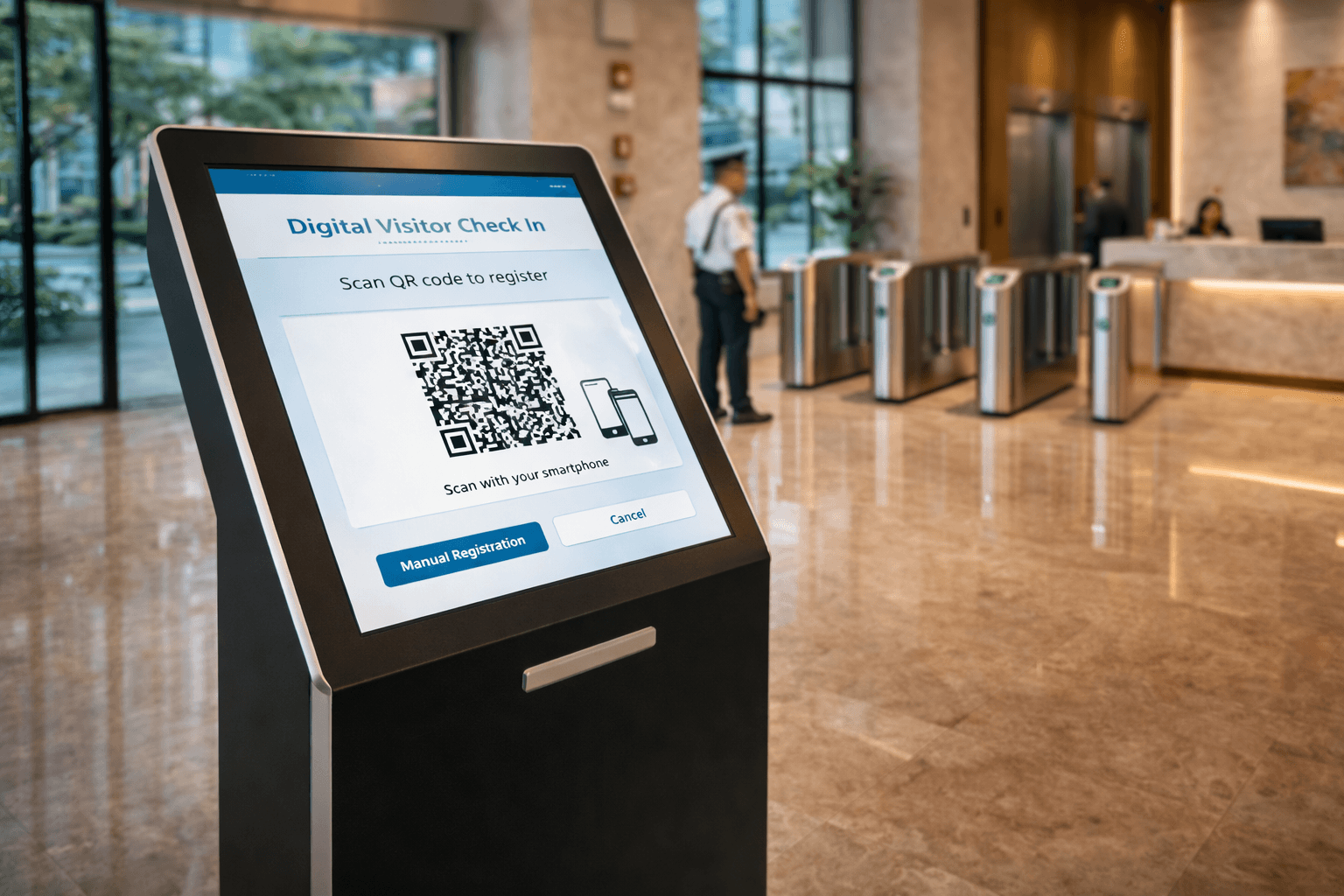
Digital visitor management system kiosk with QR code check-in at a Philippine commercial building lobby replacing paper logbook

INFINITE SYSTEMS INSIGHTS:

Visitor Management System Philippines: QR Check-In, Access Integration and Best Practices

A visitor management system Philippines deployment gives offices, commercial buildings, factories, schools, hospitals, data centers, and mixed-use properties a controlled way to register, approve, identify, and track guests without relying only on handwritten logbooks. Modern visitor workflows can also connect temporary visitor permissions to doors, turnstiles, elevators, parking access, and other compatible building-security systems.

SOLUTION PAGE

Visitor Management Systems Philippines

Explore Infinite Systems solutions for digital registration, QR or PIN check-in, kiosks, host notifications, temporary credentials, visitor records, and building access integration.

View Visitor Management Systems

RegisterCapture required visitor details before arrival or at reception.
ApproveApply host, tenant, security, or administrator approval workflows.
AuthorizeIssue time-limited QR, card, badge, PIN, or supported digital credentials.
RecordMaintain searchable visit, arrival, departure, and access records.

DIGITAL VISITOR ENTRY

What Is a Visitor Management System?

A visitor management system, or VMS, is a digital platform used to manage people who are not regular employees or residents of a facility. It can record who is expected, who approved the visit, when the guest arrived, what temporary permissions were issued, and when the visit ended.

Depending on the selected platform and project requirements, a VMS can support pre-registration, QR or PIN check-in, reception tablets, self-service kiosks, photo capture, ID verification, badge printing, host notifications, temporary access credentials, dashboards, reports, and integration with physical security systems.


WHY DIGITAL VISITOR MANAGEMENT

Moving Beyond the Paper Visitor Logbook

Paper logbooks can still record names and arrival times, but they are difficult to search, easy to enter inconsistently, and disconnected from the systems that actually control doors, turnstiles, elevators, and parking. A digital visitor management system can create a more structured process while keeping visitor permissions aligned with the building’s security policy.

Searchable Records

Authorized users can review visitor history without manually reading handwritten pages.

Controlled Approvals

Visits can follow defined approval steps before access credentials are issued.

Temporary Permissions

Credentials can be limited by time, entrance, zone, floor, or other supported access rules.

Better Lobby Workflow

Pre-registration and self-service options can reduce repeated front-desk data entry when properly configured.


VISITOR WORKFLOW

How a Modern Visitor Management System Works

The exact process should match the property’s reception procedures, tenant structure, security policy, access-control platform, and visitor risk profile. A common workflow is shown below.


STEP 1

Pre-Registration

A host, tenant, receptionist, or authorized administrator records the expected visit before arrival.

STEP 2

Arrival and Check-In

The visitor checks in using a reception desk, kiosk, QR code, PIN, or another supported process.

STEP 3

Verification and Approval

Reception or security confirms the approved visit and performs the identity checks required by site policy.

STEP 4

Credential Issuance

A temporary QR code, card, PIN, badge, or supported mobile credential can be activated for the approved visit.

STEP 5

Controlled Access

Compatible doors, turnstiles, elevators, or parking systems apply only the permissions assigned to that visitor.

STEP 6

Check-Out and Expiry

Departure is recorded and temporary permissions expire according to the configured visit rules.


CONTACTLESS VISITOR ACCESS

QR Code and Mobile Visitor Check-In

QR credentials are useful when a building wants to pre-authorize visitors without issuing a permanent access card. Depending on the selected platform, an approved visitor can receive a temporary QR credential before arrival and present it at a kiosk, reception station, turnstile reader, or other compatible device.

A well-designed QR visitor credential should be controlled by policy rather than treated as a reusable image. Appropriate safeguards can include limited validity, defined entrances, assigned floors or zones, revocation capability, and server-side verification by the connected access-control system.

Visitor QR access is not the same as an unrestricted QR code.
The security of the workflow depends on how the credential is generated, validated, expired, revoked, and connected to the building’s access permissions.

For more detail on smartphone and QR credentials, see Mobile Access Control Philippines.


INTEGRATED VISITOR ACCESS

Visitor Management Integration with Building Security

The main advantage of an integrated VMS is that visitor approval can be connected to physical access. Instead of approving a visitor in one system and manually configuring another, compatible platforms can coordinate temporary permissions across the required entry points.

Access Control

Temporary visitor permissions can be applied to compatible controlled doors and restricted areas.

Access Control Systems

Turnstiles and Speed Gates

Approved visitor credentials can release selected turnstile lanes when the hardware and access platform support the workflow.

Turnstile Systems

Elevator Access

A visitor can be limited to approved elevator floors where the elevator access architecture supports temporary permissions.

Elevator Access Control

CCTV and Video

Visitor and access events can be coordinated with video-surveillance operations for investigation and visual verification where supported.

CCTV Systems


HOST NOTIFICATIONS

Notify the Right Person When a Visitor Arrives

Host notifications can reduce manual calls from reception by informing the host that an approved visitor has checked in. The available notification channel depends on the selected visitor-management platform and integrations. Common options can include email, SMS, Viber, or supported application notifications.

Notification should complement, not replace, the building’s approval and security process. A host being notified does not automatically mean a visitor should receive unrestricted access.


PRIVACY AND RECORDS

Visitor Data and the Philippine Data Privacy Act

Visitor systems may process personal information such as names, contact details, photographs, identification data, host details, visit purpose, arrival times, and access records. Organizations should therefore define what information is actually necessary for the visit and manage it under their applicable privacy policies and obligations.

A VMS does not make an organization compliant by itself. Privacy governance still requires appropriate notices, lawful processing, access controls, retention rules, security measures, and procedures for handling personal data. The system should be configured to support those policies rather than collect information simply because the software can.

Collect PurposefullyRequest only information required for the approved visitor process.
Restrict AccessLimit visitor records to authorized personnel and defined roles.
Set RetentionAlign retention periods with organizational and legal requirements.
Protect RecordsUse appropriate administrative, physical, and technical safeguards.

PEZA AND ENTERPRISE FACILITIES

Visitor Management for PEZA Locators and Controlled Sites

Factories, business-process facilities, data centers, warehouses, and other controlled sites often require clear records of guests, contractors, vendors, and service personnel. Digital visitor management can help these organizations maintain structured visitor records and enforce internal entry policies.

However, a visitor management system should not be described as automatically satisfying PEZA, customer, audit, or regulatory requirements. The required records and approval procedures depend on the facility, locator, customer obligations, security program, and applicable regulations. The VMS should be configured around the actual documented requirements of the site.


PLANNING CHECKLIST

What to Consider Before Choosing a Visitor Management System

Visitor Volume

Estimate normal and peak arrivals so reception and kiosk capacity match actual traffic.

Approval Workflow

Define who can invite, approve, reject, extend, or cancel visits.

Credential Type

Choose QR, RFID, PIN, badge, mobile, or mixed credentials based on the site and integration platform.

Access Integration

Confirm how temporary permissions will reach doors, turnstiles, elevators, and parking systems.

Privacy Requirements

Define data fields, consent or notice processes, user access, retention, and deletion procedures.

Failure Procedures

Plan how guards and reception continue operations during network, server, reader, kiosk, or power problems.


IMPLEMENTATION

Visitor Management System Integration in the Philippines

A successful VMS project is more than installing a lobby kiosk. The implementation should coordinate the visitor application, reception process, credential technology, access controller, readers, turnstiles, elevators, network infrastructure, notification services, and security operating procedures.

Infinite Systems can design, supply, install, integrate, commission, and support visitor management solutions for offices, commercial buildings, industrial facilities, campuses, hospitals, condominiums, mixed-use developments, and other controlled facilities in the Philippines.

Site Assessment
Workflow Design
System Supply
Installation
Integration
Commissioning

FREQUENTLY ASKED QUESTIONS

Visitor Management System Philippines FAQ

Can a visitor management system replace a paper logbook?

Yes, a digital VMS can replace or supplement manual visitor logs by storing visit records electronically. The exact workflow should still follow the organization’s security and privacy policies.

Can visitors receive QR codes before they arrive?

Yes, supported systems can issue temporary QR credentials after a visit is approved. The credential can be configured with validity and access restrictions appropriate to the site.

Can visitor access work with turnstiles?

Yes, when the VMS, access-control platform, reader, and turnstile interface are compatible, approved visitor credentials can be used to authorize selected lanes.

Can visitors be restricted to specific elevator floors?

Yes, supported elevator access-control integrations can assign temporary floor permissions based on the approved visit. The available integration method depends on the elevator and access-control architecture.

Does a visitor management system automatically make a facility Data Privacy Act compliant?

No. The VMS is a technology tool. Compliance also depends on the organization’s lawful processing, notices, policies, retention rules, security controls, and operating procedures.

Can visitor management be used for contractors and service personnel?

Yes. Contractor and vendor workflows can include approval, identity checks, visit schedules, restricted areas, temporary credentials, and check-out procedures depending on site requirements.

For more common questions, visit the Visitor Management Systems FAQ.


RELATED SOLUTIONS

Build a Complete Visitor Access Workflow

Visitor Management SystemsView solution
Access Control SystemsView solution
Mobile and QR AccessView solution
Turnstile SystemsView solution
Elevator Access ControlView solution
CCTV and Video SurveillanceView solution

PLAN YOUR VISITOR ACCESS SYSTEM

Need a Visitor Management System for Your Facility?

Infinite Systems can help design a visitor workflow that connects registration, temporary credentials, turnstiles, doors, elevators, CCTV, and other supported building-security systems.

Contact Infinite Systems