
INFINITE SYSTEMS INSIGHTS:
Network Rack Cleanup Philippines: Cable Management, Labeling and Maintenance
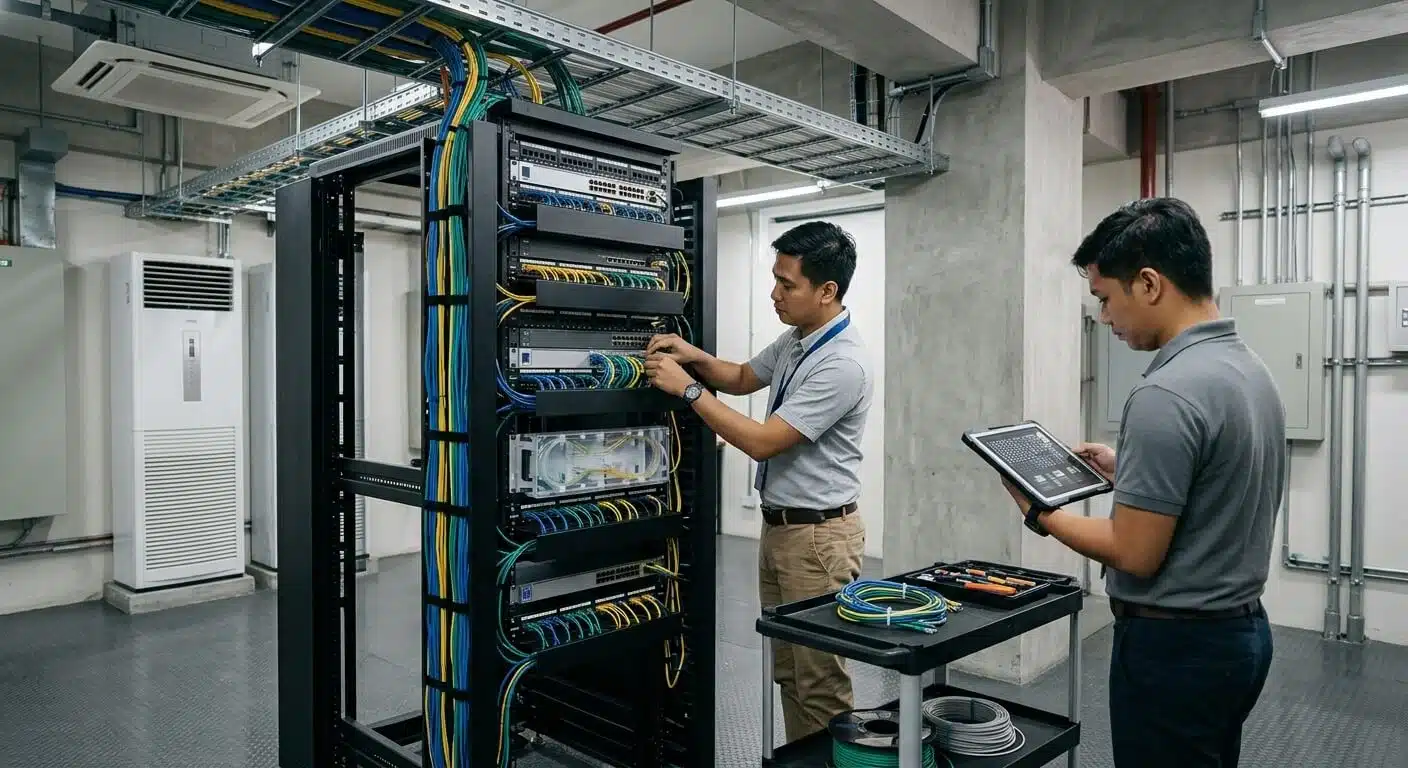
Over time, network racks can accumulate excessively long patch cords, undocumented connections, abandoned links and restricted access to equipment. These conditions can make troubleshooting difficult, affect equipment accessibility and increase the risk of accidental disconnections. A structured network rack cleanup helps improve cable organization, maintainability and serviceability while protecting active network connections in commercial, industrial and institutional facilities in the Philippines.
PLANNING PRINCIPLE
Verify before disconnecting. Organize before finalizing. Test before handover. A successful rack cleanup is not simply about making cables look neat. Every connection must be properly identified, protected and documented to preserve network reliability and support future maintenance.
01 / INITIAL ASSESSMENT
Start With an Audit, Not Cable Removal
Before changing any connections, inspect the existing network rack and establish a clear understanding of its current configuration. Identify the installed switches, patch panels, routers, firewalls, fiber termination equipment, power distribution units and other connected devices.
Review available network diagrams, port schedules and maintenance records. Photograph the rack’s front and rear condition, where accessible, and document visible cable routes, equipment positions, port identifiers and existing cable-management problems.
Equipment Inventory
Identify switches, patch panels, uplinks, power equipment and other rack-mounted devices.
Connection Records
Review port mappings, cable labels, network diagrams and known device dependencies.
Physical Condition
Check cable congestion, connector strain, blocked ventilation and restricted equipment access.
Coordinate the proposed work with the responsible IT team and facility stakeholders. Establish the maintenance scope, affected services, approved work schedule and rollback arrangements before making changes to active connections.
02 / CONNECTION VERIFICATION
Trace and Verify Active Connections
An unlabeled cable or a patch cord that appears unused does not necessarily mean the connection is inactive. It may support a remote workstation, an upstream switch, a backup connection or a critical system that is not immediately visible during a physical inspection.
Before removing or transferring a connection, trace and verify its destination using available documentation, switch information, cable tracing tools and appropriate testing methods. If a connection cannot be confidently identified, leave it in place until its function has been established.
Identify Network-Dependent Systems
CCTV and Video Surveillance
IP cameras, network video recorders and camera network uplinks may depend on the same switching infrastructure.
Access Control and Security
Access-control panels, IP security devices and related servers may rely on active network connections.
Voice and Building Systems
IP phones, wireless access points, building management devices and other connected systems may also be affected.
Maintenance reminder: Never remove a cable based only on its appearance or missing label. Verify its function, record its original connection and obtain the required authorization before making changes.
03 / PATCH-CORD MANAGEMENT
Use Appropriate Patch-Cord Lengths
Excessively long patch cords can create unnecessary cable loops, obstruct equipment access and make port identification more difficult. Selecting practical lengths helps maintain a cleaner rack layout and simplifies future troubleshooting.
Choose patch cords according to the distance between the connection points and the intended cable-management route. Allow sufficient slack for equipment access and maintenance without creating excessive tension or tight bends.
Avoid Excessive Slack
Use practical lengths instead of leaving large cable loops in front of switches and patch panels.
Protect Cable Integrity
Follow the cable manufacturer’s bend-radius requirements and avoid pulling connectors or cables under tension.
Maintain Port Access
Keep switch ports, patch-panel identifiers and equipment controls accessible for inspection and maintenance.
Not every patch cord needs to have the same length. The correct selection depends on port locations, routing requirements, cable type and the available rack space. Replace existing cords only after verifying their connections and suitability for the intended application.
04 / CABLE ROUTING AND SUPPORT
Separate and Support Cable Pathways
A properly organized rack should allow technicians to access equipment, identify connections and perform maintenance without moving unrelated cables. Use appropriate horizontal and vertical cable managers, rack guides and support pathways to maintain consistent cable routing.
Recommended Cable-Management Practices
- Route patch cords through designated cable managers instead of leaving them hanging across equipment faces.
- Keep patch-panel labels, switch ports, equipment controls and rack hardware accessible.
- Avoid blocking ventilation openings or interfering with equipment cooling paths.
- Use reusable hook-and-loop fasteners where appropriate, and avoid overtightening cable ties.
- Maintain appropriate separation and routing for data, fiber and power cables according to applicable requirements and equipment guidance.
- Provide sufficient cable support to prevent unnecessary weight or strain on ports and connectors.
Cable management should do more than improve the rack’s appearance. It should protect cable integrity, maintain equipment accessibility, support airflow and make future maintenance more efficient.
05 / LABELING AND DOCUMENTATION
Improve Labels, Port Mappings and Documentation
Rack cleanup is an opportunity to correct missing, inconsistent or outdated cable identifiers. Proper labeling helps technicians trace connections between patch panels, network switches, outlets and connected equipment without unnecessary guesswork.
Use a consistent labeling and administration method that matches the site’s existing documentation system. Verify each connection before assigning or changing its identifier, and update the records to reflect the actual installed configuration.
Documentation to Review
- Rack and equipment identifiers.
- Patch-panel and switch port references.
- Cable destination and outlet records.
- Uplink and critical connection details.
- Changes made during cleanup, including replaced patch cords and revised routes.
- Final rack photographs, test results and unresolved documentation gaps.
Use durable and legible labels suited to the installation environment. The final documentation should match the verified rack condition rather than simply reproducing an old or outdated network diagram.
06 / TESTING AND VALIDATION
Test Connections and Services After Repatching
A neat-looking rack does not automatically mean that every network connection is functioning correctly. After completing changes, verify the affected links and confirm that connected services continue to operate as expected.
The required testing depends on the type of work performed. A patch-cord replacement may require physical inspection, link verification and service checks. Permanent cabling that has been altered or reterminated should receive the appropriate cabling tests. Link lights alone do not establish that a permanent link meets its required performance specifications.
PHYSICAL INSPECTION
Check connector seating, cable routing, port assignments and visible cable condition.
CONNECTIVITY VERIFICATION
Confirm affected links, switch port status and relevant network or system services.
CABLING TESTS
Perform appropriate tests when permanent cabling has been modified, repaired or reterminated.
Depending on the installation, service checks may include network connectivity, wireless access, IP telephony, CCTV feeds, access-control communications and other connected building systems. Coordinate these checks with the responsible system owners.
07 / MAINTENANCE WORKFLOW
Plan the Work in Controlled Stages
For facilities with active network services, a staged cleanup approach helps minimize disruption and makes troubleshooting easier. Avoid reorganizing an entire live rack at once unless the work has been specifically planned and approved for that scope.
Document the Existing Condition
Record the current rack layout, identify active links and capture photographs before making changes.
Confirm the Work Scope
Agree on the maintenance schedule, affected services, assigned responsibilities and rollback arrangements.
Clean One Section at a Time
Trace, repatch, route and label the selected connections without disturbing unrelated or unverified circuits.
Verify Before Proceeding
Check the affected connections and services before moving to the next section of the rack.
Complete Documentation and Handover
Update port mappings, save final rack photographs, document test results and identify outstanding issues.
Rollback principle: Preserve enough information to restore the original connection if a change causes a service issue. If a connection’s function is uncertain or the rollback procedure is unclear, pause and obtain verification before proceeding.
08 / FIELD CHECKLIST
Network Rack Cleanup Checklist
Use this checklist during site assessment, maintenance execution and final acceptance to ensure that rack cleanup is properly controlled and documented.
BEFORE
- Equipment inventory and rack photographs
- Active-link and service identification
- Port records and cable tracing
- Approved work scope and maintenance window
- Rollback and communication plan
DURING
- Verify connections before disconnecting
- Use suitable patch-cord lengths
- Maintain bend radius and cable support
- Preserve equipment access and airflow
- Work in controlled sections
AFTER
- Verify affected services and links
- Test modified permanent cabling as appropriate
- Update labels and port mappings
- Save final rack photographs
- Document limitations and outstanding actions
09 / RELATED SOLUTIONS
Related Infinite Systems Solutions
Effective rack management is part of a wider structured cabling and infrastructure maintenance strategy. Proper cable organization, reliable documentation and appropriate testing help support long-term network performance and serviceability.
Structured Cabling Systems
Explore structured cabling infrastructure, connectivity organization and network installation requirements.
Preventive Maintenance Services
Support planned inspections, maintenance documentation and ongoing equipment performance checks.
10 / FREQUENTLY ASKED QUESTIONS
Network Rack Cleanup FAQs
Can network rack cleanup be performed without shutting down the network?
Some inspection and cable-management tasks may be performed while systems remain operational. However, changes to active patching can interrupt services. Coordinate the work with the responsible IT team and follow an approved maintenance plan.
Should unused or unlabeled patch cords simply be removed?
No. Verify the cable’s function and destination before removal. An undocumented connection may still support a live service, remote device or critical network path.
Should every patch cord have the same length?
No. Choose lengths according to endpoint locations and the planned cable route. Cords should have sufficient slack for maintenance without creating unnecessary loops or tension.
Does rack cleanup include cable labeling and documentation?
Yes. Review labels, port mappings and connection records, then update them to match the verified final configuration. Record unresolved connections rather than guessing their destinations.
What should be tested after rack cleanup?
Verify affected links and services based on the work performed. Permanent cabling that has been modified or reterminated should receive appropriate cabling tests. Link lights alone are not sufficient to certify permanent cabling performance.
Can CCTV and access-control systems be affected by rack cleanup?
Yes. IP cameras, access-control devices and other building systems may share network switches or uplinks. Identify these dependencies and coordinate service verification before changing patching.
How often should network racks be inspected and cleaned?
The appropriate schedule depends on the facility’s operating environment, maintenance policy, equipment changes and rack condition. Include rack organization in planned maintenance and review it after significant network additions, removals or rearrangements.
IMPROVE YOUR NETWORK INFRASTRUCTURE
Need Structured Cabling Remediation?
Infinite Systems can help assess network racks, patching arrangements, copper and fiber cabling, labeling and documentation for commercial, industrial and institutional facilities in the Philippines. A structured assessment can identify cable-management issues, documentation gaps and areas that require corrective work.