
INFINITE SYSTEMS INSIGHTS:
Structured Cabling Labeling and Documentation Philippines: Racks, Ports, Fiber and As-Built Records
A structured cabling system is easier to maintain when every rack, patch-panel port, work-area outlet and fiber link can be traced to accurate records. For offices, campuses, hospitals, hotels, industrial facilities and data centers in the Philippines, labeling and documentation should be treated as essential parts of the installation—not tasks left until project turnover.
PLANNING PRINCIPLE
Every installed link should have a unique, consistent identifier that connects the physical cable path to its rack, panel, port, outlet or fiber termination, test result and as-built record. Agree on the labeling scheme and required turnover documents before installation begins.
What Makes a Cabling System Easy to Administer?
A good cabling administration system connects four elements: physical identification, connectivity records, test results and final drawings. When these records use consistent identifiers, IT and facilities teams can trace links, investigate faults and manage moves, adds and changes without repeatedly tracing cables manually.
01 / IDENTIFY
Label Every Relevant Link
Use a consistent naming scheme for racks, patch panels, ports, outlets, fiber enclosures and backbone connections.
02 / RECORD
Maintain Connectivity Schedules
Document where each link begins and ends, including the relevant room, rack, panel and port references.
03 / VERIFY
Match Test Results
Link copper and fiber test reports to the final installed identifiers and the correct test scope.
04 / MAINTAIN
Update As-Built Records
Capture approved field changes and keep documentation aligned with the actual installation.
01 / RACK AND PATCH-PANEL ADMINISTRATION
Standardize Rack Names, Patch Panels and Ports
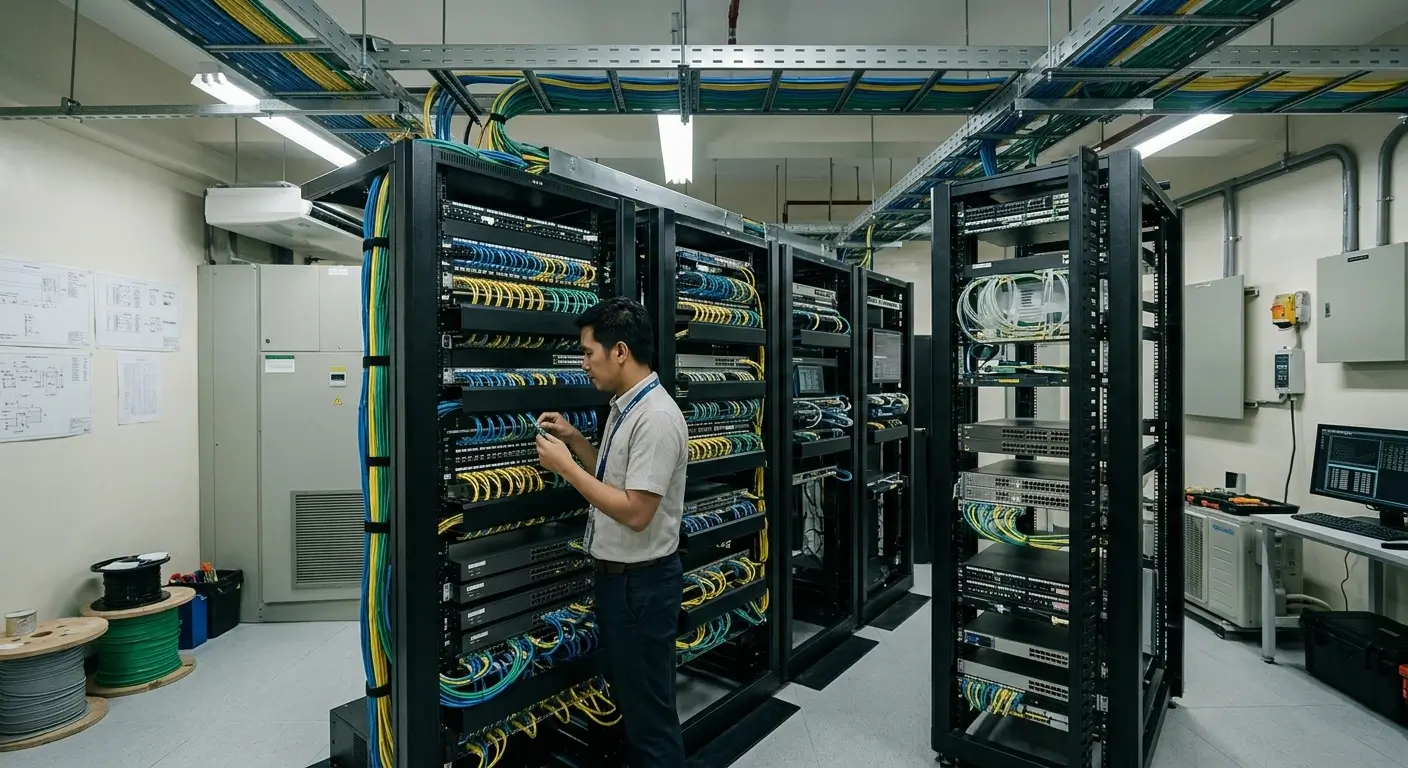
Telecommunications rooms can contain multiple cabinets, patch panels, switches, fiber termination units and cable management components. A standardized naming structure helps technicians locate the correct connection without relying on informal labels or individual staff knowledge.
A project may use a naming structure that identifies:
- Building, floor or telecommunications room.
- Rack or cabinet identifier.
- Patch-panel identifier and port number.
- Switch or equipment port references where required by the administration plan.
- Corresponding outlet, backbone or remote termination identifier.
Illustrative example: A label such as BLD-A-TR02-R01-PP02-P18 could identify a particular port in a designated building, telecommunications room, rack and patch panel. This is only an example; define a naming convention that fits the project’s layout and administration requirements.
The same identifier should appear on the physical installation and in the relevant port schedule, connectivity record and test documentation. Avoid duplicate identifiers and undocumented naming changes between contractors or project phases.
02 / WORK-AREA OUTLETS AND HORIZONTAL CABLING
Make Every Outlet Traceable to Its Telecommunications Room
A work-area outlet should be traceable to its associated horizontal cable termination and patch-panel port. This is important when users report network problems, desks are relocated or new equipment is installed.
Outlet Identification
Use durable, legible labels that match the outlet schedule and the corresponding termination record.
Cable and Port Mapping
Record the outlet’s telecommunications room, rack, patch panel and port so the full connection can be traced.
Label Durability
Choose label materials and placement appropriate for the environment, cable type and normal cleaning or maintenance activities.
Labels should remain readable after installation and should not obstruct connectors, bend-radius requirements, cable management or access to equipment. Confirm the final outlet identifiers against the approved floor plans and actual installed locations.
03 / FIBER BACKBONE IDENTIFICATION
Document Fiber Routes, Enclosures and Strand Assignments
Fiber backbone links may connect telecommunications rooms, buildings, floors, server rooms and data center areas. Clear identification is especially important when cables contain multiple strands or when separate paths support redundancy.
Fiber documentation should identify the applicable details, including:
- Origin and destination of each backbone cable.
- Cable identifiers, fiber type and strand count where relevant.
- Termination enclosures, panels, adapters and port assignments.
- Strand allocation, including active, spare and reserved strands where applicable.
- Route references, pathway information and documented changes.
- Separate route identification for redundant links, where installed.
Resilience consideration: Two fiber links should not automatically be treated as physically redundant just because they have different labels. Where redundancy is required, document and verify the actual routes and their potential shared points of failure.
For projects involving multiple buildings or fiber distribution points, a backbone schedule and route drawing can help maintenance teams identify the correct link before disconnecting or modifying any strand.
04 / TESTING AND ACCEPTANCE
Ensure Test Reports Match the Final Installed Labels
Copper certification and fiber test results are useful only when the records can be associated with the correct installed link. Test identifiers should match the final labeling and documentation scheme rather than temporary construction labels that may no longer be in use.
Copper Cabling
Associate each required certification result with the final link identifier and the relevant test parameters, limits and outcome.
Fiber Cabling
Record applicable fiber test results with the cable, strand and termination references needed to identify the tested path.
Acceptance Review
Check for missing identifiers, duplicate labels, incomplete test records and differences between drawings and the installed system.
Test methods and acceptance criteria depend on the cabling type, project specification and applicable standards. Where certification is required, use the appropriate test equipment and procedures for the installed link.
For more details, read our Structured Cabling Testing Philippines guide.
05 / AS-BUILT DRAWINGS AND TURNOVER
Prepare a Complete Structured Cabling Handover Package
As-built documentation records what was actually installed, including approved field changes made during construction. Agree on required deliverables before installation so the team can capture changes as they happen instead of trying to reconstruct them at the end of the project.
Floor Plans and Outlet Locations
Final outlet locations, room references, telecommunications-room locations and relevant pathway information.
Rack Elevations and Port Schedules
Cabinet layouts, patch-panel positions, port assignments and equipment identification as required by the project.
Backbone and Fiber Records
Cable routes, termination points, fiber strand allocation and documented redundant paths where applicable.
Test Reports and Closeout Records
Final copper and fiber results, approved deviations, outstanding items and agreed turnover documents.
The handover format may include editable schedules, PDF drawings, native drawing files and electronic test reports, depending on the contract and client requirements. Confirm file formats, naming conventions and document ownership during project planning.
06 / OPERATIONS AND CHANGE CONTROL
Keep Documentation Accurate After Project Turnover
Cabling records become less reliable when technicians move connections, add outlets or replace equipment without updating the documentation. The administration process should continue after handover and form part of normal IT and facilities operations.
- Assign responsibility for maintaining cabling schedules and as-built records.
- Update the relevant records whenever a link is installed, removed, reassigned or modified.
- Verify labels and connectivity records during planned maintenance and troubleshooting.
- Keep revision history so changes can be traced to the appropriate work order or approved activity.
- Control access to electronic records and maintain suitable backups.
For larger campuses and facilities with frequent changes, a structured database or cabling administration platform may help manage connectivity information. The appropriate solution depends on the size of the installation, operational needs and available maintenance resources.
07 / PROJECT ACCEPTANCE CHECKLIST
Structured Cabling Labeling and Documentation Checklist
Use this checklist during inspection, commissioning and turnover. The final requirements should follow the approved project specification and the selected cabling administration standard.
Physical Labels
- Racks and cabinets
- Patch panels and ports
- Work-area outlets
- Fiber enclosures and links
- Legibility and consistency verified
Connectivity Schedules
- Outlet-to-port mapping
- Rack and room identifiers
- Backbone destinations
- Fiber strand assignments
- Duplicate identifiers reviewed
Testing and Acceptance
- Copper test records
- Fiber test records
- Final identifiers match results
- Outstanding defects recorded
- Required acceptance criteria checked
As-Builts and Turnover
- Final floor plans
- Rack elevations
- Backbone routes
- Document revisions recorded
- Handover files delivered
08 / RELATED SOLUTIONS
Related Infinite Systems Solutions
Structured Cabling Systems
Explore structured cabling infrastructure for network connectivity, telecommunications rooms, copper links and fiber backbones.
Structured Cabling Testing Philippines
Learn how copper and fiber testing support installation verification, acceptance and dependable network performance.
09 / FREQUENTLY ASKED QUESTIONS
Structured Cabling Labeling and Documentation FAQs
What should be labeled in a structured cabling system?
The administration scheme should cover the relevant racks, cabinets, patch panels, ports, work-area outlets, backbone cables and fiber termination points required by the project. The exact scope depends on the selected standard and project specification.
Should cable labels match the test reports?
Yes. The final installed identifiers should map to the corresponding test records so technicians can trace each result to the correct physical link.
What should an as-built documentation package contain?
Depending on the contract, it commonly includes final outlet plans, telecommunications-room layouts, rack elevations, cable and port schedules, backbone routes, fiber assignments and required acceptance test reports.
Can existing cabling be documented after installation?
Yes. Existing links can be traced, identified and recorded through a field survey. However, undocumented or incorrectly labeled installations may require additional verification and testing before records can be trusted.
Why are fiber strand assignments important?
They identify which strands are assigned to specific links and which are spare or reserved. Accurate assignments help reduce connection errors and support future expansion and troubleshooting.
How should redundant fiber paths be documented?
Record the endpoints and actual routes of each path, including relevant termination points and known shared pathway sections. This helps the operations team assess whether the installation provides the intended physical separation.
Who should update cabling records after turnover?
The facility owner should assign responsibility to an IT, facilities or network administration team. Approved moves, additions, removals and changes should be reflected in the relevant schedules and as-built records.
PLAN YOUR CABLING PROJECT
Need a Traceable Structured Cabling Installation?
Infinite Systems can help plan and implement structured cabling for Philippine facilities, with coordinated racks, copper and fiber links, labeling, testing and project turnover documentation based on site and client requirements.