
INFINITE SYSTEMS INSIGHTS:
Data Center Structured Cabling: Fiber, Copper, Pathways and Rack Planning
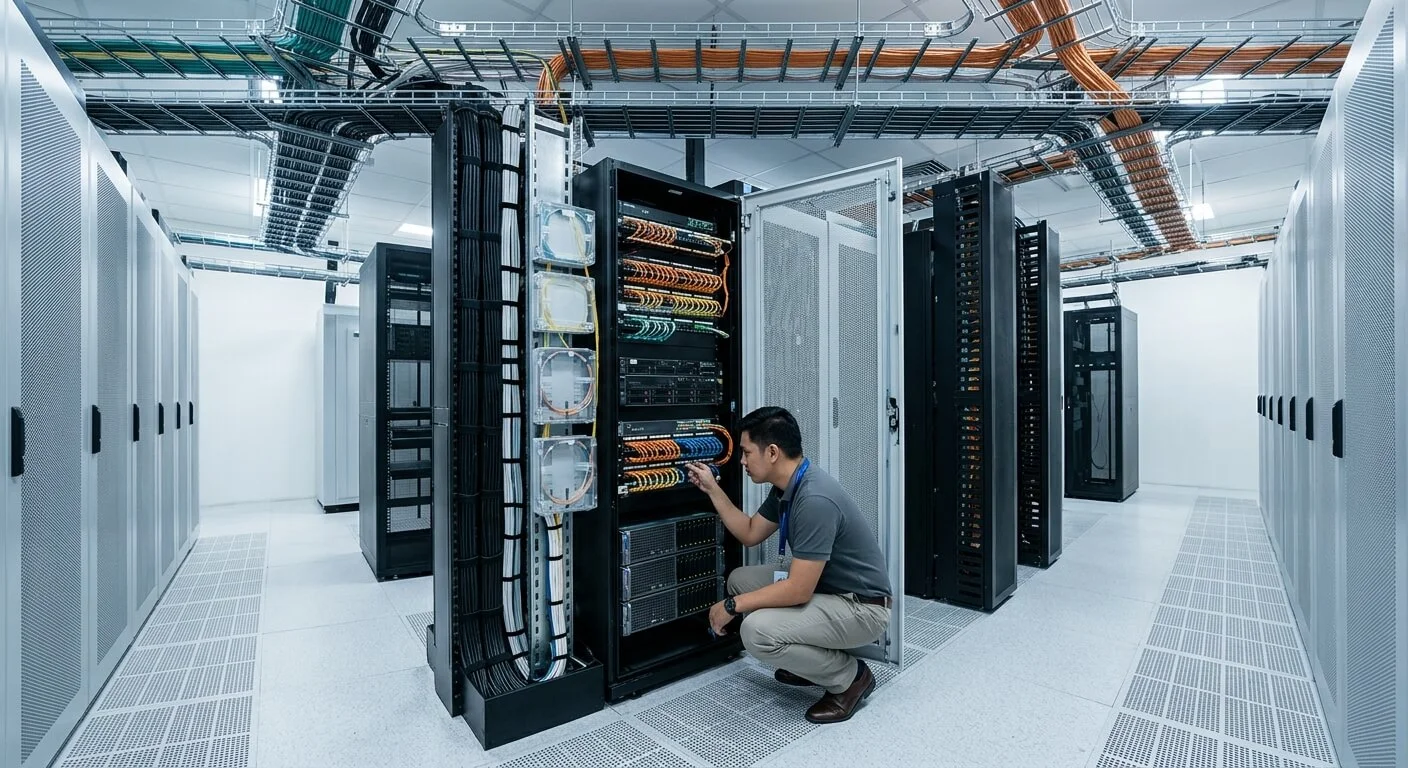
Data center structured cabling must support high port density, predictable pathways, resilient fiber links and fast troubleshooting without turning racks and overhead routes into unmanaged cable bundles. A properly planned physical layer provides the connectivity, documentation and serviceability needed as critical IT environments expand.
PLANNING PRINCIPLE
Build a documented physical layer that can be expanded, tested and serviced without creating unnecessary disruption to critical equipment or operations.
TOPOLOGY
Define distribution points, racks, connections and redundant paths before cable quantities.
MEDIA
Select copper and fiber according to speed, distance, interfaces and architecture.
PATHWAYS
Provide organized, supported and accessible routes with appropriate separation and capacity.
DOCUMENTATION
Maintain labels, test results, rack elevations, cable schedules and as-built information.
01 / TOPOLOGY
Start with Topology, Not Cable Quantity
A data center cabling design should begin with the intended connectivity architecture rather than a simple count of cables. Define equipment rows, network distribution points, meet-me or carrier areas, server connections, storage systems, management networks and building or campus uplinks.
The topology influences fiber routes, copper distances, rack space, patching requirements, pathway capacity and redundancy. It also provides the basis for developing a structured cabling bill of quantities.
02 / CABLING MEDIA
Copper and Fiber Have Different Roles
Copper and fiber should be selected according to the equipment interface, transmission requirements, distance, pathway conditions and overall network architecture. A data center may use both media within the same structured cabling environment.
Copper
Useful for compatible short-reach equipment, management ports and selected horizontal connections where the equipment interface and required performance are appropriate.
Fiber
Supports high-capacity backbone and longer inter-rack, inter-room or building connections according to the selected architecture and optical interfaces.
DESIGN NOTE
Do not select cable media based only on current equipment. Consider required performance, equipment compatibility, pathway distance, future capacity and the client’s expansion strategy.
03 / PATHWAYS
Plan Pathways, Separation and Physical Diversity
Overhead trays, underfloor routes, vertical managers and rack pathways should be planned as part of the cabling system rather than added after equipment installation. Routes should provide adequate capacity, support, accessibility and serviceability.
Capacity
Allow sufficient pathway space for current cabling and planned growth without excessive congestion.
Serviceability
Keep routes accessible so new cables and troubleshooting activities do not require unnecessary dismantling.
Separation
Coordinate required separation from power and other services according to the project requirements and applicable standards.
Diversity
Where resilience is required, evaluate whether primary and redundant connections use genuinely diverse physical routes.
Cable routing should also respect manufacturer requirements and applicable bend-radius, support and installation requirements. Poor pathway planning can create installation constraints even when the selected cable itself is technically suitable.
04 / RACK PLANNING
Rack and Patch-Panel Discipline
Rack elevations should reserve space for patch panels, fiber enclosures, switches, cable managers, power distribution units and future expansion. The physical arrangement should allow technicians to identify and service connections without creating unnecessary disturbance to adjacent equipment.
Port labels should map consistently between racks, patch panels, fiber enclosures, switches and endpoints. This documentation becomes particularly important as port density increases.
A professional structured cabling system therefore includes more than cable installation. It includes pathway coordination, termination, labeling, testing and documentation.
05 / TESTING
Testing and Acceptance
Testing should be defined before installation so the project team understands the required acceptance criteria. Copper links should be tested according to the specified cabling category and project requirements. Fiber testing may include optical loss measurements and OTDR testing where specified by the project.
Copper Testing
Test installed links against the specified performance and acceptance requirements.
Fiber Testing
Verify optical performance using the testing methods and limits defined for the project.
Documentation
Match test records with cable IDs, ports, rack locations and installed routes.
Test results, labels and as-built records should correspond to the actual installed links. See the fiber optic backbone design guide for additional backbone planning considerations.
ACCEPTANCE NOTE
A link should not be considered acceptable solely because it carries traffic. Formal acceptance testing provides documented evidence that the installed physical layer meets the specified requirements.
06 / FUTURE EXPANSION
Design for Moves, Adds and Changes
Data centers evolve as servers, network equipment, storage systems and connectivity requirements change. A cabling design should therefore consider future rack space, pathway capacity, spare fiber strands, patching requirements and accessible documentation.
Spare Capacity
Plan reasonable allowance for future cabling and equipment growth.
Clear Records
Maintain current cable schedules, labels, rack elevations and route information.
Accessible Routes
Avoid installations that make future additions dependent on unnecessary cable removal.
Controlled Changes
Update documentation whenever connections or routes are modified.
A clean handover should include cable schedules, rack elevations, test results, labeling information and as-built route documentation appropriate to the project scope.
07 / PROJECT WORKFLOW
Data Center Cabling Planning Workflow
01 — Survey
Review the data center layout, existing racks, pathways, equipment interfaces and available documentation.
02 — Define
Establish topology, media, port requirements, rack locations, pathways and redundancy objectives.
03 — Design
Develop rack elevations, cable schedules, pathway layouts, termination details and labeling standards.
04 — Install
Install cables, pathways, patch panels and fiber enclosures according to the approved design.
05 — Test
Perform required copper and fiber testing and resolve installation or labeling issues.
06 — Handover
Submit test results, schedules, rack elevations and as-built documentation for the completed installation.
08 / PROCUREMENT CHECKLIST
What to Review in a Data Center Cabling Proposal
Cabling
Cable types, quantities, fiber counts, copper category, connectors, patch panels and termination components.
Pathways & Racks
Trays, supports, rack accessories, cable managers, fiber enclosures and required physical infrastructure.
Testing & Documentation
Testing methods, acceptance criteria, labeling, test reports, rack elevations and as-built deliverables.
PROCUREMENT NOTE
Compare proposals based on the complete physical-layer scope, including pathways, terminations, testing, labeling and documentation—not cable quantity alone.
09 / RELATED SOLUTIONS
Related Structured Cabling Solutions
Structured Cabling Systems
Plan copper, fiber, pathways, racks, termination, testing and documentation as one coordinated physical-layer system.
Fiber Optic Backbone Design
Review backbone topology, fiber capacity, physical routing and testing considerations for high-capacity connectivity.
10 / FAQ
Frequently Asked Questions
Should data centers use only fiber?
No. The appropriate media depend on distance, required performance, equipment interfaces and the overall architecture. Many facilities use both copper and fiber.
Why use redundant fiber routes?
Where physical resilience is required, diverse routes can reduce the chance that one pathway incident affects both primary and backup connections.
Is labeling really necessary?
Yes. Consistent labels and documentation improve troubleshooting, changes, maintenance and the ability to trace connections in dense environments.
Should every link be tested?
Acceptance testing should follow the project specification, selected cabling system and client requirements. Critical links should not be assumed acceptable solely because they pass traffic.
How much spare capacity should be planned?
The required allowance depends on the project growth strategy, rack density, pathway constraints and operational requirements. Spare capacity should be defined during design rather than added after installation.
What should be included in handover documentation?
Typical deliverables include cable schedules, labels, rack elevations, test results, fiber records and as-built route information, subject to the project specification.
PLAN YOUR DATA CENTER CABLING PROJECT
Build a Serviceable Data Center Cabling Layer
Infinite Systems can coordinate copper, fiber, racks, pathways, testing and documentation for server rooms and data center environments.