
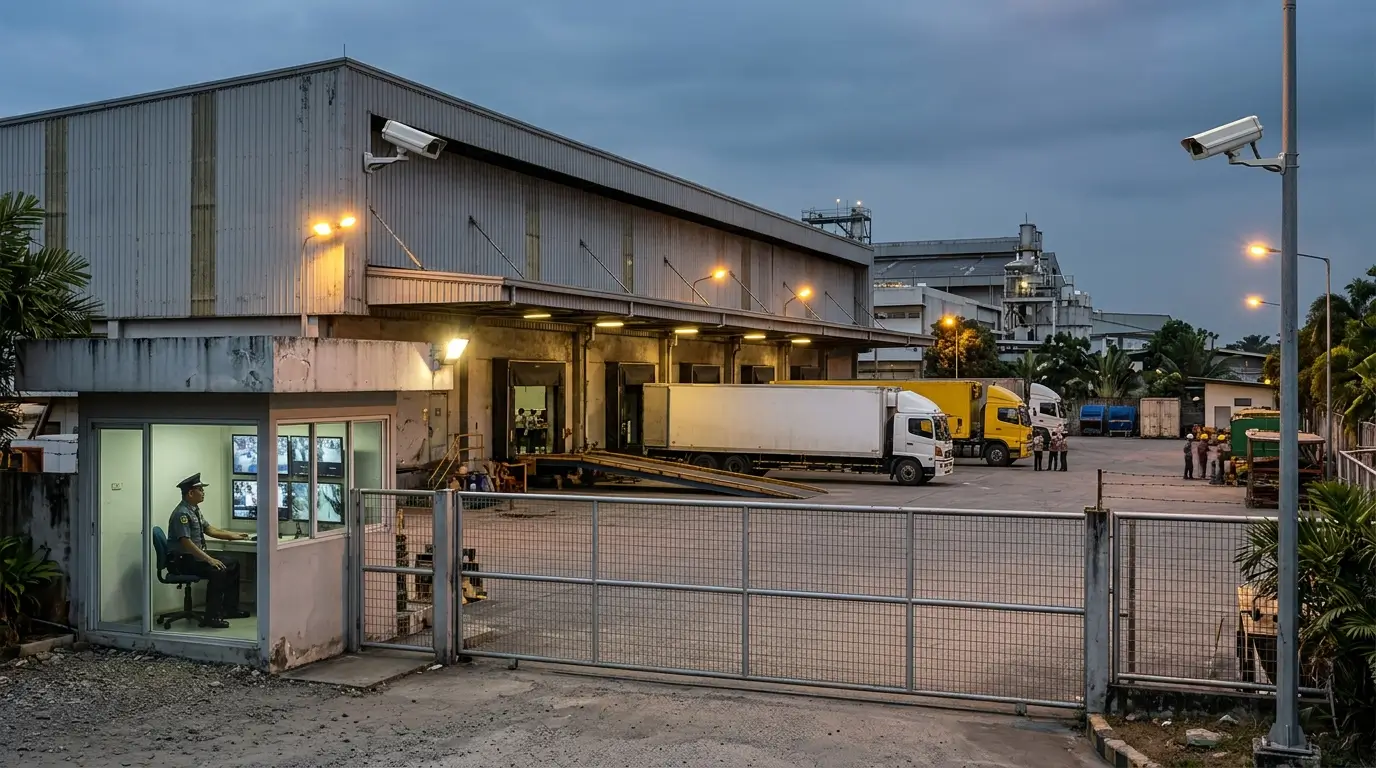
INFINITE SYSTEMS INSIGHTS:
Modern CCTV systems can do more than record video. Video analytics can help security teams identify selected events, prioritize operator attention and locate relevant footage more efficiently. Features such as intrusion detection, line crossing and human or vehicle classification can support perimeter monitoring, restricted-area surveillance and operational security. However, reliable results depend on camera placement, scene conditions, compatible hardware, appropriate configuration and realistic expectations about what the system can detect.
PLANNING PRINCIPLE
Define the security event you need to detect before selecting the analytics feature. The camera view, detection zone, object type, lighting, recording method and operator response should all be planned around the intended use case.
01 / DEFINE
Identify the event, target area and security objective.
02 / POSITION
Plan camera angle, coverage, lighting and target visibility.
03 / CONFIGURE
Set detection zones, direction, object filters and sensitivity.
04 / VALIDATE
Test real events, false alarms, recording and operator response.
01 / ANALYTICS CAPABILITIES
Common CCTV Video Analytics Features
CCTV analytics capabilities vary by camera model, recorder, video management system (VMS), firmware and licensing. Some functions run directly on the camera, while others are processed by a compatible recorder, server or analytics platform.
Line Crossing Detection
Detects movement across a configured virtual line, sometimes with a selected direction or supported object type.
Common applications: Perimeter boundaries, access routes and restricted entrances.
Intrusion Detection
Generates an event when a qualifying target enters a configured area, subject to the selected rule and system capabilities.
Common applications: Restricted rooms, perimeter zones and after-hours areas.
Human and Vehicle Classification
Where supported, distinguishes selected object categories to help reduce events caused by irrelevant movement.
Common applications: Vehicle access areas, pedestrian zones and outdoor surveillance.
Event Search and Filtering
Uses supported event metadata to narrow recorded footage to specific times, cameras or event categories.
Common applications: Incident investigation and faster video review.
Other functions may include loitering detection, object removal, stopped-vehicle detection or crowd-related analytics, depending on the platform. Confirm the actual capabilities of the proposed equipment instead of assuming every camera supports every feature.
02 / CAMERA PLACEMENT AND COVERAGE
Camera Placement Comes Before Analytics Configuration
Analytics cannot reliably compensate for an obstructed view, an unsuitable camera angle or a target that is too small in the image. Camera placement should be designed around the intended event and the level of detail needed for detection and verification.
Camera Angle and Height
Choose a view that keeps the target visible and captures the relevant area without excessive perspective distortion or obstruction.
Lens and Image Detail
Match the field of view and image detail to the detection objective, target distance and area requiring coverage.
Lighting and Visibility
Consider backlighting, glare, shadows, night lighting, headlights, weather and changes between daytime and nighttime scenes.
Match the View to the Detection Objective
A camera intended to monitor a perimeter crossing may need a view that clearly captures movement through the boundary. A camera covering a restricted room may need a different angle to minimize blind spots and distinguish entry from ordinary activity. For vehicle areas, mounting height, vehicle direction, headlight glare and lane geometry can influence performance.
Design consideration: Confirm the manufacturer’s recommended scene conditions and minimum target requirements for the selected analytic feature. Validate the actual camera view during a site survey and commissioning rather than relying only on a floor plan.
03 / FALSE ALARM REDUCTION
How to Reduce False Alarms in CCTV Analytics
False alarms occur when the system reports an event that does not represent the intended security condition. Frequent nuisance notifications can reduce operator confidence and make genuine events harder to recognize.
Moving Backgrounds
Trees, flags, water, moving machinery and other background activity can trigger unwanted events when included in the detection area.
Lighting Changes
Headlights, reflections, shadows, sudden exposure changes and infrared illumination can affect detection reliability.
Poorly Defined Zones
Detection regions that include public walkways, irrelevant movement or areas outside the intended boundary can create unnecessary events.
Incorrect Sensitivity
Unsuitable sensitivity, object filters or event conditions can cause missed detections or excessive notifications.
Practical Tuning Steps
- Define the actual boundary or protected region that needs monitoring.
- Exclude irrelevant background areas where the analytic configuration allows it.
- Configure supported object filters and direction rules to match the use case.
- Test during different lighting conditions, including night operation where relevant.
- Review event samples and adjust settings based on observed performance.
- Document approved settings and revisit them after camera movement or scene changes.
Do not tune sensitivity solely to minimize the number of alerts. Settings must balance detection performance and nuisance-event reduction, with the required balance determined by the site’s security risks and operating procedures.
04 / APPLICATIONS
Where CCTV Video Analytics Adds Practical Value
Analytics are most useful when the expected event can be clearly defined and the camera provides a suitable view. The appropriate feature depends on the environment, movement patterns, lighting and security response requirements.
Perimeter and Boundary Monitoring
Line crossing and intrusion rules can help flag movement through designated boundaries, fence lines or protected outdoor areas.
Warehouses and Loading Areas
Defined zones can help monitor restricted spaces, vehicle movement and selected after-hours events around loading operations.
Parking and Vehicle Entrances
Supported vehicle-related events can help security teams review activity near gates, lanes and designated parking zones.
Restricted Rooms and Corridors
Intrusion rules may help identify entry into selected rooms, technical spaces or corridors outside permitted operating periods.
Busy public areas may require more careful configuration because people, reflections, changing backgrounds and overlapping movement make events harder to classify. Analytics should be selected and tested against actual site conditions rather than assumed to perform identically across all environments.
05 / SYSTEM INTEGRATION
Integrating CCTV Analytics with Access Control and Other Systems
Video analytics can become more useful when connected to an operator workflow or other security events. Depending on the selected platforms, integration may allow an event to bring up relevant video, trigger a supported notification or help an operator investigate activity at a door, gate or restricted zone.
Access Control
An access-control event, such as a forced door or invalid credential attempt, may be associated with the relevant camera view for verification.
Alarm and Operator Workflows
Supported events can be routed to designated operator interfaces or notification workflows according to the system configuration.
Recording and Investigation
Event markers and supported metadata can help operators locate footage and review the relevant incident more efficiently.
Integration requires compatibility between devices and platforms, appropriate network configuration, supported interfaces, licensing where applicable and testing of the complete event sequence. Confirm whether an integration is native, dependent on middleware or requires additional development.
For projects requiring coordinated door monitoring and video verification, review our Access Control Systems solution alongside our CCTV and Video Surveillance offering.
06 / NETWORK AND STORAGE
Network, Recording and Storage Considerations
Analytics depend on the camera and processing architecture, while event recording and investigation depend on the broader CCTV system. The project should confirm where analytics run, how event information is transmitted and whether the recording platform retains the relevant footage and metadata.
Bandwidth
Assess camera streams, resolution, frame rate, network utilization and additional traffic from analytics or integration services.
Recording Retention
Define retention requirements, recording schedules, storage capacity and whether event clips or continuous footage must be retained.
Time Synchronization
Keep camera, recorder and integrated-system timestamps aligned so event logs and video can be correlated during investigations.
Do not assume that an analytics event automatically guarantees a saved recording or successful notification. Confirm recording triggers, retention settings, storage availability, network dependencies and recovery behavior during commissioning.
07 / PRIVACY AND ACCESS GOVERNANCE
Privacy, Permissions and Responsible Video Analytics
CCTV analytics should be deployed for a clearly defined and legitimate security or operational purpose. Organizations should consider who can view live footage, access recordings, export clips, change analytic rules and review event histories.
Governance consideration: Establish appropriate access permissions, retention periods, incident-review procedures and safeguards for recorded footage and associated metadata. Where applicable, align deployment and operation with Philippine data privacy requirements and the organization’s policies.
Keep access limited to authorized personnel, document material configuration changes and review retention and disclosure procedures with the responsible privacy or compliance team. Where analytics involve identification or other sensitive processing, conduct an appropriate legal and privacy review before deployment.
08 / COMMISSIONING
CCTV Video Analytics Commissioning Checklist
Commissioning should confirm that each configured rule detects the intended event under realistic conditions and that the resulting event can be reviewed through the required operator workflow.
Camera and Rule Configuration
- Verify camera position, focus, image quality and field of view.
- Confirm detection zones, line direction and supported object filters.
- Check day, night and relevant environmental conditions.
- Review false positives and missed detections using controlled tests.
- Record the approved final settings.
Recording and Response
- Confirm event timestamps and the relevant camera association.
- Verify recording triggers and retention behavior.
- Test supported notifications and integrations.
- Confirm operator permissions and incident-review procedures.
- Document limitations, outstanding issues and maintenance needs.
Testing should cover both successful detection and known nuisance-event conditions. Recommission affected rules after material changes to the camera position, lens, lighting, background, firmware or analytics configuration.
09 / IMPLEMENTATION WORKFLOW
A Practical CCTV Analytics Project Workflow
1. Survey
Assess the site, existing CCTV equipment, lighting, network, protected areas and security concerns.
2. Define
Select the events, object types, detection zones and expected operator actions.
3. Design
Confirm camera coverage, supported analytics, network capacity, recording and integration requirements.
4. Configure
Set rules, detection areas, event handling, recording behavior and permissions.
5. Validate
Test detection, false alarms, recording, integration and operator response under realistic conditions.
10 / RELATED SOLUTIONS
Related Security and Infrastructure Solutions
CCTV and Video Surveillance Systems
Plan camera coverage, recording, monitoring and video surveillance infrastructure around your site’s security objectives.
Access Control Systems
Coordinate door access events and credentials with compatible security monitoring and video verification workflows.
Structured Cabling Systems
Support CCTV connectivity through suitable cabling, network planning and infrastructure coordination.
11 / FREQUENTLY ASKED QUESTIONS
CCTV Video Analytics FAQs
Does video analytics eliminate the need for security guards?
No. Analytics can help identify and prioritize selected events, but people and procedures are still needed to verify incidents, assess context and take appropriate action.
Can existing IP cameras support video analytics?
Possibly. Compatibility depends on the camera model, firmware, available processing capabilities, recorder or VMS support and licensing. Some analytics may require newer equipment or a compatible processing platform.
Why do CCTV analytics produce false alarms?
Common causes include unsuitable camera angles, moving backgrounds, changing lighting, poorly defined detection zones and configuration settings that have not been tuned for the actual scene.
Can CCTV analytics integrate with access control?
Yes, where the selected platforms support the required interfaces and event handling. Integration may allow an access event to be associated with video or presented through a compatible operator workflow.
Do analytics events automatically save video recordings?
Not necessarily. Recording behavior depends on the camera, recorder or VMS configuration, available storage and event rules. Verify the complete recording and retrieval workflow during commissioning.
Should video analytics be tested at night?
Yes, if the system is expected to operate at night. Test under representative lighting and environmental conditions because visibility, glare, infrared illumination and background activity can affect performance.
Design Analytics Around the Actual Scene
Infinite Systems can help assess camera placement, video recording, network readiness, analytics configuration and compatible security-system integration for new and existing sites. A site-specific design helps align the selected technology with actual monitoring requirements.