
INFINITE SYSTEMS INSIGHTS:
CCTV System Health Monitoring in the Philippines: Design, Alerts and Maintenance Guide
A CCTV system may appear operational while important problems remain undetected. Cameras can lose network connectivity, recording schedules can fail, storage capacity can become insufficient, and system clocks can drift. Without regular health monitoring, these issues may only become apparent when security personnel need to retrieve footage.
For Philippine facility owners, consultants and systems integrators, CCTV system health monitoring should be part of the overall surveillance design and maintenance strategy. A documented approach helps teams identify faults, coordinate corrective action and verify that cameras, recording equipment, network infrastructure and monitoring software continue to perform as intended.
KEY PLANNING PRINCIPLE
Do not monitor CCTV equipment based only on whether devices appear online. Verify that cameras are producing usable images, recordings are being stored, and footage can be retrieved when required.
01 / SYSTEM HEALTH MONITORING
Why CCTV System Health Monitoring Matters
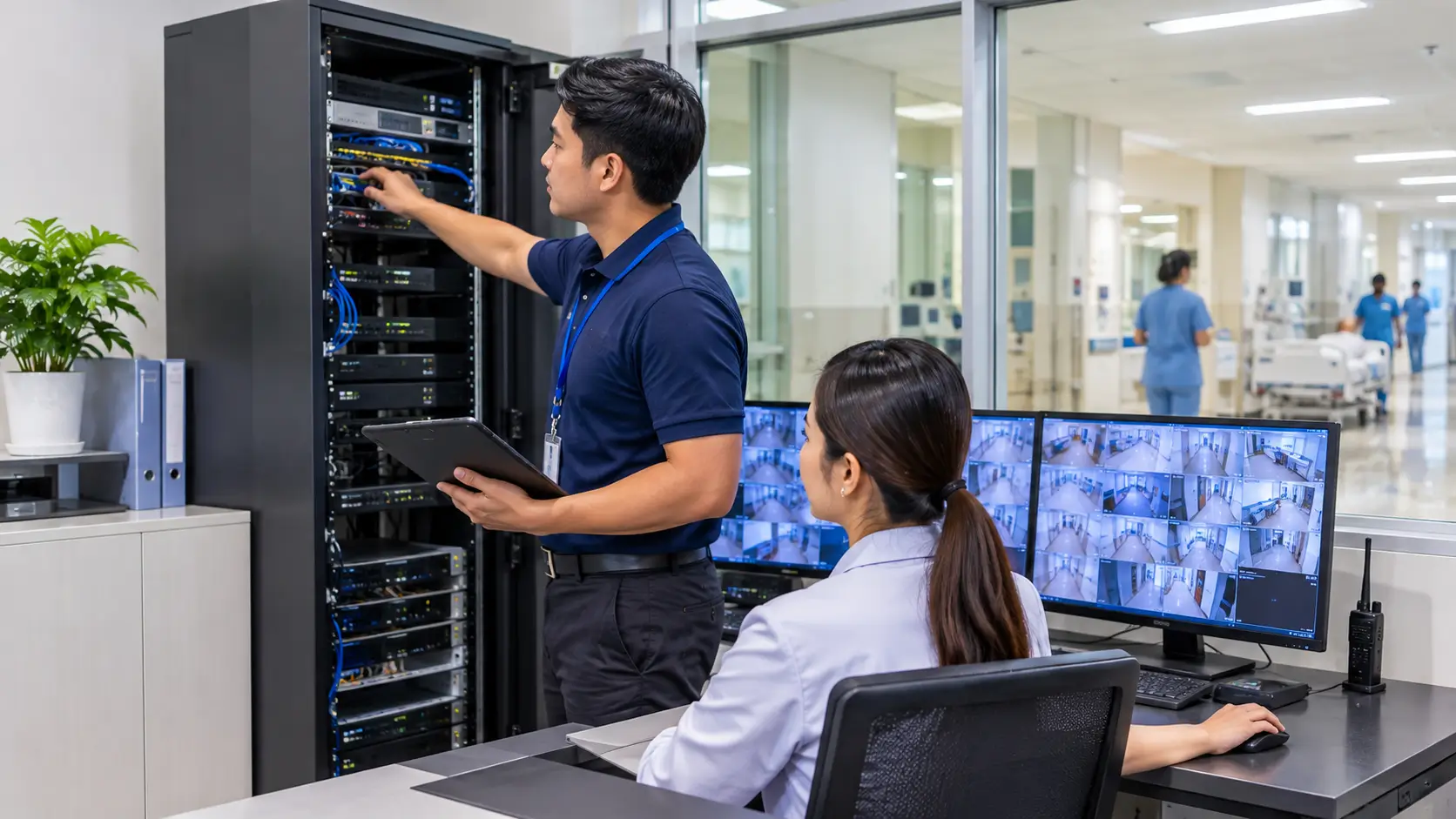
A CCTV installation consists of multiple connected components. Cameras capture video, network infrastructure transports data, recording devices store footage, and monitoring software provides access to live and recorded video. A fault in one component can affect the performance of the entire surveillance system.
For facilities in Metro Manila and other Philippine locations, monitoring becomes especially important when projects involve existing infrastructure, multiple buildings, different equipment suppliers or demanding operating schedules.
Security coverage
Identify cameras that are offline, obstructed or producing unusable images.
Recording reliability
Detect recording interruptions, storage faults and missing footage.
Operational response
Notify responsible personnel when faults require investigation or corrective action.
Maintenance planning
Use recurring fault records to identify equipment that needs servicing or replacement.
A monitoring strategy should therefore cover the complete recording and retrieval process, not just the connection status of individual cameras.
02 / MONITORING PARAMETERS
What Should a CCTV Health Monitoring System Track?
The monitoring platform should provide visibility into the operational condition of cameras, recording equipment and supporting infrastructure. Available indicators depend on the camera, NVR or VMS model, device configuration and integration capabilities.
Camera Availability
Monitor whether cameras are reachable and communicating with the recording or management platform.
- Offline or disconnected cameras
- Repeated connection interruptions
- Device communication errors
Video and Image Quality
Check whether the camera is producing an image that remains useful for its intended surveillance purpose.
- Black or frozen video
- Blurred or obstructed views
- Unexpected image or stream changes
Recording and Storage
Verify that video is being recorded and retained according to the configured requirements.
- Recording interruptions
- Storage capacity and disk faults
- Unexpected retention changes
Time Synchronization
Check whether cameras, recorders and related systems maintain consistent timestamps.
- Incorrect date or time
- Time drift between devices
- Time synchronization failures
Where supported, the monitoring platform may also provide device temperature, storage health, network performance or system resource indicators. Confirm which parameters are actually exposed by the selected equipment before including them in the project requirements.
03 / RECORDING VERIFICATION
Verify Recording Continuity, Storage and Playback
A camera showing a live image does not automatically confirm that its footage is being recorded. Recording verification should be treated as a separate monitoring activity because a camera may remain online even when its recording schedule, storage destination or recording service has a problem.
A practical recording-health check should include:
- Recording status: Confirm that each camera is assigned to the correct recording schedule and that the recorder is receiving its video stream.
- Storage condition: Check disk status, available capacity and system warnings. Review whether configured storage is sufficient for the intended retention period.
- Recording gaps: Investigate missing time periods and recurring interruptions instead of relying only on device status indicators.
- Playback verification: Retrieve footage from selected cameras and confirm that the video is viewable and corresponds to the expected date and time.
- Retention review: Confirm that recorded footage remains available for the agreed retention period, subject to the system configuration and applicable policies.
Important acceptance consideration
A green device status indicator is not proof of complete recording performance. Include actual playback and recording-continuity checks in the commissioning and periodic inspection procedures.
04 / ALERTS AND FAULT RESPONSE
Configure Alerts and Define Escalation Procedures
Health monitoring becomes useful when system alerts reach the people responsible for responding to them. Sending notifications without defining ownership, priority and corrective action can result in unresolved faults and repeated service interruptions.
Common alert categories may include:
Device Offline
Camera or recorder is no longer communicating with the monitoring platform.
Recording Failure
A camera is not recording as expected or a recording service has stopped.
Storage Warning
Disk faults, low capacity or other storage-related issues require investigation.
Time or Configuration Issue
Device time, recording schedules or configuration settings need review.
A practical fault-response workflow should identify the responsible team at each stage:
01 / DETECT
System alert
A monitoring rule identifies a fault or abnormal condition.
02 / NOTIFY
Assigned personnel
The responsible security, IT or maintenance team receives the notification.
03 / INVESTIGATE
Fault assessment
Personnel check the device, network, recording and related components.
04 / RESOLVE
Corrective action
The fault is corrected, tested and documented before closure.
For critical camera locations, define escalation priorities and response expectations according to the facility’s security requirements. Notification methods, such as email, software alerts or other supported channels, should be verified during system testing.
05 / NETWORK AND SYSTEM INFRASTRUCTURE
Include Network and Recorder Health in the Monitoring Plan
CCTV performance depends on the network and recording infrastructure supporting the cameras. An intermittent network connection, overloaded recorder or unstable power supply may affect multiple cameras at the same time.
The monitoring and maintenance plan should consider:
- Network connectivity: Check communication between cameras, network switches, recorders and management workstations.
- Bandwidth utilization: Review whether available network capacity can support the configured camera streams and expected traffic.
- PoE and power supply: Check switch power budgets, device power requirements and relevant equipment alerts.
- Recorder performance: Monitor available system indicators for processing, recording and storage-related problems.
- Time synchronization: Maintain consistent time settings across cameras and recording devices using the approved time source.
- Physical infrastructure: Inspect equipment racks, cable connections, ventilation and environmental conditions where relevant.
For larger facilities with multiple buildings or remote locations, define how network interruptions and device failures will be reported to the central monitoring team. Where the system supports centralized monitoring, confirm the required connectivity, permissions and device capacity before deployment.
06 / COMMISSIONING AND ACCEPTANCE
Test CCTV Health Monitoring Before System Turnover
A successful installation demonstration is not enough to confirm that the health monitoring process is ready for daily operation. Commissioning should verify that the system detects relevant faults, generates the expected alerts and provides enough information for the assigned personnel to investigate and resolve issues.
Include the following checks in the agreed acceptance procedure:
CCTV Health Monitoring Commissioning Checklist
Device status verification
Confirm that cameras and recorders appear correctly in the monitoring platform and that offline conditions are reported as expected.
Recording and playback test
Verify recording schedules, retrieve sample footage and check that playback corresponds to the expected time period.
Storage and time checks
Review storage status, relevant disk alerts, available capacity and time synchronization across selected devices.
Alert and escalation test
Simulate agreed fault conditions and verify notification delivery, assigned recipients and escalation procedures.
Recovery and corrective action
Verify that restored devices return to normal operation and that fault records can be updated and closed.
Operator handover
Train assigned personnel to review alerts, retrieve footage, document faults and coordinate service requests.
Test methods should be agreed with the facility and equipment supplier. Avoid creating unnecessary service interruptions on operational cameras; use an approved test procedure or designated test devices where appropriate.
07 / DOCUMENTATION AND HANDOVER
Maintain Accurate Records for Future Troubleshooting
CCTV health monitoring is more effective when equipment information and maintenance records are organized. Without accurate documentation, facility teams may struggle to identify the affected device, determine its network location or establish whether a fault has occurred before.
The project handover should include the following records where applicable:
- Camera and equipment schedules: Device names, locations, models, identifiers and assigned recording channels.
- Network documentation: Relevant IP addressing information, switch assignments and network topology.
- System configuration: Recording schedules, storage settings, alert thresholds and monitoring parameters.
- Interface documentation: Connections and dependencies involving third-party systems or external services.
- Commissioning records: Test results, identified issues, corrective actions and acceptance status.
- Maintenance records: Inspection schedules, service history, recurring faults and recommended spare parts.
- Configuration backups: Securely maintained backups and documented procedures for authorized restoration.
When equipment is replaced, camera locations change or network configurations are modified, update the relevant records. Documentation should reflect the installed system rather than remain limited to the original design drawings.
08 / PREVENTIVE MAINTENANCE
Use Health Monitoring to Support Preventive Maintenance
Monitoring identifies conditions that may require attention, while preventive maintenance helps verify equipment condition and reduce recurring problems. Both activities should work together as part of the facility’s CCTV operations plan.
A practical maintenance program may include:
- Review device availability, recording status and unresolved system alerts on a defined schedule.
- Inspect camera lenses, housings, mounting points and visible cable connections.
- Check recorder storage health and confirm that sample footage can be retrieved.
- Review time synchronization, recording schedules and configured retention settings.
- Inspect relevant network equipment, power supplies and equipment ventilation.
- Review recurring fault reports and identify equipment that may require repair or replacement.
- Update system documentation after approved changes and service activities.
Inspection frequency should be based on equipment recommendations, operating conditions, camera locations and the facility’s security requirements. Outdoor cameras and equipment exposed to dust, moisture or other environmental conditions may require additional attention.
09 / COMMON IMPLEMENTATION MISTAKES
Avoid These CCTV Health Monitoring Problems
A monitoring system can provide limited operational value if its design, alert configuration and maintenance responsibilities are not properly defined. Common problems include:
- Monitoring only camera connectivity: An online camera may still have recording, image-quality or storage problems.
- Ignoring recording verification: Device status alone does not confirm that footage is being stored and can be retrieved.
- Using alerts without assigned ownership: Notifications may remain unresolved when no team is responsible for investigation and closure.
- Leaving time synchronization unchecked: Incorrect timestamps can complicate footage searches and incident reviews.
- Accepting systems without fault testing: A short live-view demonstration does not verify offline alerts, recording continuity or recovery procedures.
- Failing to update documentation: Outdated device schedules and network records make troubleshooting more difficult after modifications.
10 / SUPPLIER SCOPE AND PROJECT PLANNING
What Should Be Included in a CCTV Health Monitoring Proposal?
When requesting a proposal, facility owners should look beyond the monitoring software or equipment price. The supplier’s scope should explain how the system will be assessed, configured, tested, documented and supported after turnover.
Recommended Supplier Scope
- Existing CCTV system assessment and site survey
- Proposed monitoring architecture and equipment compatibility review
- Camera, recorder, storage and network device schedules
- Monitoring parameters, alert configuration and escalation procedures
- Bill of quantities and equipment specifications
- Installation, configuration and integration methodology
- Commissioning procedure and acceptance test records
- Operator training and system documentation
- Warranty conditions, service response arrangements and preventive maintenance plan
- List of exclusions, including network provisioning, civil works, third-party interfaces and after-hours work where applicable
For existing CCTV installations, identify which devices can be monitored through the proposed platform and which may require firmware updates, configuration changes or replacement. Compatibility should be confirmed before finalizing the equipment and implementation cost.
11 / FREQUENTLY ASKED QUESTIONS
CCTV System Health Monitoring FAQs
What is CCTV system health monitoring?
CCTV system health monitoring is the process of checking the operational condition of surveillance equipment and supporting infrastructure. Depending on the platform, it can include camera availability, recording status, storage condition, time synchronization and system alerts.
Can a camera be online but not recording?
Yes. A camera may remain reachable while its recording schedule, recorder connection, storage destination or recording service has a problem. This is why live-view status and recording verification should be checked separately.
Can CCTV monitoring send alerts when a camera goes offline?
Many CCTV management platforms support offline-device notifications, but available alert types and delivery methods depend on the selected equipment and software. The notification process should be configured and tested during commissioning.
How often should CCTV system health be checked?
The monitoring frequency depends on the facility’s security requirements, operating schedule and system capabilities. Automated alerts may provide ongoing visibility, while scheduled reviews and physical inspections help identify issues that automated monitoring cannot detect.
Is CCTV health monitoring available for existing systems?
It may be possible to add monitoring to an existing CCTV installation. The first step is to assess camera and recorder models, software versions, network connectivity and supported monitoring interfaces.
Should documentation be updated after CCTV modifications?
Yes. Camera schedules, network diagrams, device settings, configuration backups and commissioning records should be updated whenever approved system modifications are made.
Is a successful live-view demonstration enough for system acceptance?
No. Acceptance should follow an agreed test plan covering camera status, recording, playback, storage, alerts, fault response, recovery and operator handover.
12 / RELATED SOLUTIONS
Explore CCTV and Supporting Infrastructure Solutions
Explore surveillance solutions for monitoring and recording across facilities.
Structured Cabling Systems
Support reliable connectivity for cameras and network equipment.
Preventive Maintenance Services
Help maintain installed equipment through scheduled inspection and servicing.
RELATED ARTICLES
More CCTV Planning and Design Guides
IMPROVE YOUR CCTV SYSTEM RELIABILITY
Need a CCTV System Assessment or Monitoring Solution?
Infinite Systems can assist with CCTV system assessment, surveillance design, infrastructure coordination, installation and commissioning. Discuss your existing equipment, monitoring requirements and facility operating needs with our team.