
INFINITE SYSTEMS INSIGHTS
CCTV Preventive Maintenance in the Philippines: What Should Be Checked?
Learn what a professional CCTV preventive maintenance scope should check across cameras, recording, storage, network, power, time synchronization and analytics so the system remains useful when recorded evidence is needed.
PLANNING PRINCIPLE
Define the operating requirement, site conditions and acceptance criteria before comparing maintenance prices.
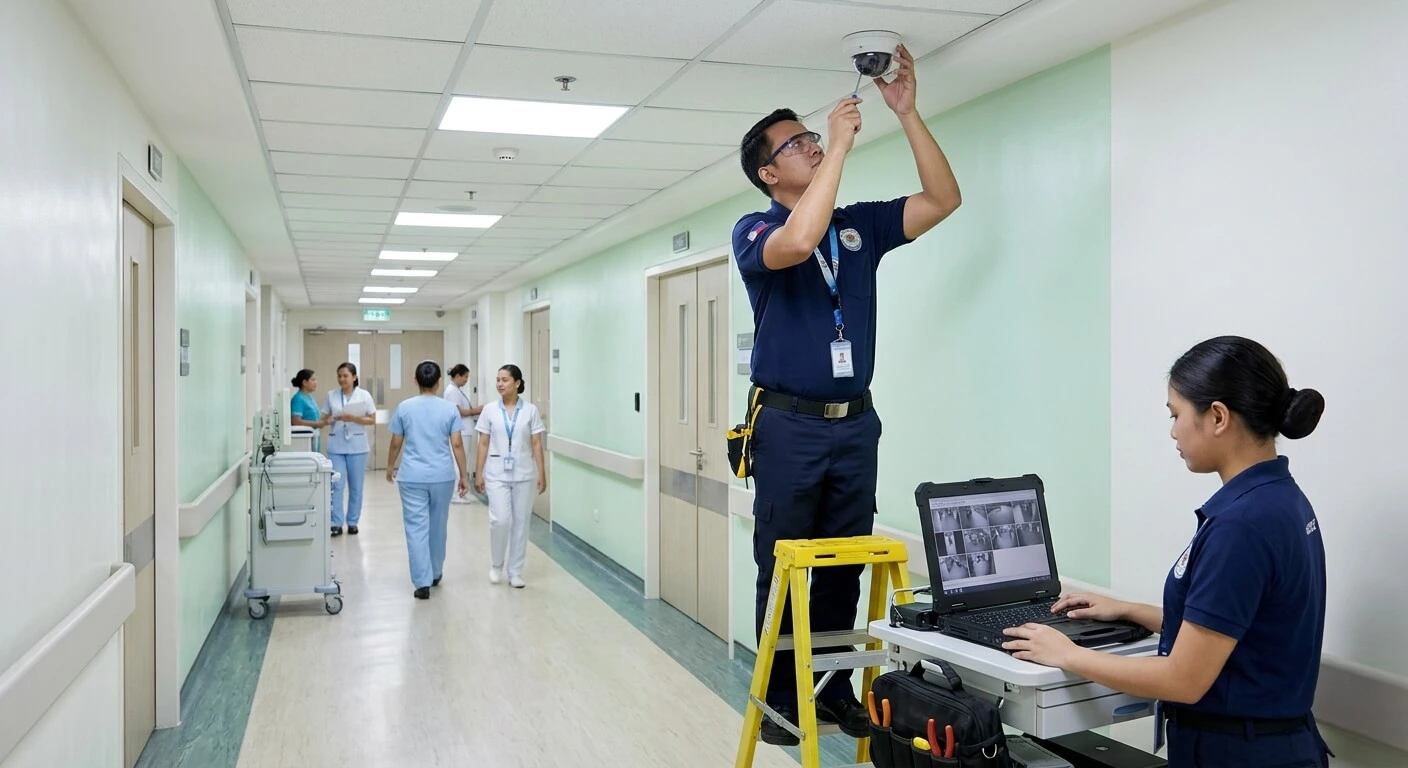
A useful CCTV preventive-maintenance scope should cover the complete path from camera to recording and operator retrieval. The objective is not only to clean cameras, but to identify conditions that could affect image quality, recording availability, storage, connectivity, time accuracy and investigation workflows.
01 / INSPECT
Physical Condition
Check mounts, housings, lenses, connectors, seals, corrosion, vibration and physical obstructions.
02 / VERIFY
Image & Recording
Verify image quality, recording status, playback and storage health against the operating requirement.
03 / CHECK
Infrastructure
Review network connectivity, PoE, power, UPS condition and time synchronization.
04 / REPORT
Document & Correct
Record defects, recommendations, replacement requirements, configuration issues and unresolved risks.
01 / MAINTENANCE SCOPE
Maintenance Is More Than Cleaning Cameras
A camera can look physically clean while the recording system is failing, storage is degraded, network connectivity is unstable or timestamps are incorrect. Preventive maintenance should therefore evaluate the complete CCTV path rather than treating each camera as an isolated device.
The maintenance scope should connect the physical inspection with operational verification. A useful visit checks whether the camera still provides the intended scene, whether the video is being recorded, whether recorded footage can be retrieved and whether the supporting infrastructure remains healthy.
Capture
Camera condition, image quality, focus, field of view, lighting and physical obstructions.
Record
Recorder status, camera recording, storage health, retention and playback availability.
Retrieve
Operator access, timestamps, search and playback workflows, alarms and relevant integrations.
02 / PHYSICAL CONDITION
Physical Camera and Mounting Checks
Begin with the physical condition of each camera and its installation. Outdoor equipment requires particular attention to weather exposure, seals and signs of water ingress, while indoor cameras can be affected by accidental movement, construction changes, dust or new obstructions.
03 / IMAGE QUALITY
Image Quality Should Be Checked Against the Security Objective
Image quality is not simply a question of whether a picture is visible. The camera should still provide enough useful information for the security purpose for which it was installed.
Daytime View
Check focus, exposure, field of view and whether new furniture, signage, partitions or landscaping obstruct important areas.
Night View
Review low-light performance, infrared reflection, glare and whether the scene remains useful after lighting conditions change.
Scene Changes
Compare the current view with the intended coverage and identify changes that may have created new blind spots.
Glare, backlight, focus problems, infrared reflection and changes in the surrounding environment can reduce the usefulness of a camera even when the device itself has no obvious hardware fault.
04 / RECORDING & STORAGE
Recording and Storage Health
Recorded evidence is only useful if the required cameras are actually recording and the footage can be retrieved when needed. Preventive maintenance should therefore include recorder, storage and playback checks rather than stopping at the camera view.
Key Recording Checks
- Confirm expected cameras are recording.
- Check recorder and storage health where the platform provides these indicators.
- Review whether configured retention remains reasonably consistent with the operating requirement.
- Perform representative playback checks.
- Confirm recorded timestamps are usable for investigation.
- Check whether important recorder or storage alarms are visible to operators.
Storage condition should receive particular attention because a camera may display live video normally while recorded footage is unavailable or incomplete. Where storage replacement is recommended, the maintenance report should identify the affected equipment and reason for the recommendation.
05 / NETWORK, POWER & TIME
Check the Infrastructure Supporting the CCTV System
CCTV availability depends on the infrastructure between the camera, network, recorder and operator. Preventive maintenance should identify conditions that may cause intermittent video loss, device disconnection or incorrect timestamps.
PoE & Network
Review switch status, connectivity and link conditions where the available equipment provides relevant diagnostics.
Power
Check applicable power supplies and UPS condition supporting cameras, network equipment and recording equipment.
Time
Verify time synchronization between cameras, recorders and integrated systems where applicable.
Connectivity
Identify recurring disconnections or network conditions that may affect recording and remote viewing.
06 / ANALYTICS & INTEGRATION
Retest Analytics and Integrated Workflows
Where CCTV analytics or system integrations are part of the operational design, maintenance should verify representative workflows rather than assuming that the configuration remains correct indefinitely.
Video Analytics
Where applicable, verify representative analytic events and check whether scene changes affect expected operation.
Access-Control Verification
Where integrated, test representative access events against the associated video or event workflow.
System Changes
Consider whether firmware, software, network or configuration changes may have affected existing integrations.
Integration testing should focus on the actual operational workflow defined for the site. A configured connection does not by itself prove that the expected event, video association or operator response still works correctly.
07 / MAINTENANCE WORKFLOW
A Practical CCTV Preventive Maintenance Workflow
01 Review
Confirm equipment list, previous defects and operating requirements.
02 Inspect
Check physical condition, mounting, connections and environment.
03 Verify
Check image quality, recording, storage, network, power and time.
04 Test
Test playback, alarms, analytics and representative integrations where applicable.
05 Correct
Identify defects, configuration issues and replacement requirements.
06 Report
Issue status, recommendations and unresolved-risk documentation.
08 / MAINTENANCE DELIVERABLES
What Should a CCTV Maintenance Report Contain?
A maintenance visit becomes more useful when the findings are documented in a way that the facility or security team can act on. The report should distinguish equipment that passed inspection from defects, recommendations and unresolved conditions.
Device Checklist
Camera, recorder, storage and relevant infrastructure status.
Defects Found
Failed devices, image issues, recording problems and infrastructure concerns.
Evidence
Screenshots or representative records where useful to explain findings.
Recommendations
Corrective work, replacement requirements and configuration recommendations.
Configuration Records
Backups or configuration records where included within the agreed scope.
System Status
Summary of current status and unresolved risks requiring follow-up.
09 / MAINTENANCE CHECKLIST
CCTV Preventive Maintenance Checklist
- Inspect camera housings, domes, mounts and visible connections
- Check corrosion, vibration, water exposure and environmental conditions
- Verify camera focus, field of view and physical alignment
- Check for new obstructions from furniture, signage, construction or landscaping
- Review daytime and nighttime image quality
- Check glare, backlight and infrared reflection where applicable
- Confirm expected cameras are recording
- Check recorder and storage health indicators
- Perform representative playback tests
- Review retention against the configured operating requirement
- Check PoE and network connectivity where diagnostics are available
- Review applicable UPS and power conditions
- Verify time synchronization between relevant devices
- Test representative analytics where included in the system
- Test applicable CCTV and access-control or other integrations
- Record defects and equipment requiring replacement
- Provide corrective recommendations and unresolved-risk documentation
- Provide configuration backups where included in the agreed scope
- Update the system status report
10 / MAINTENANCE FREQUENCY
How Often Should CCTV Preventive Maintenance Be Performed?
There is no single maintenance frequency that applies to every CCTV installation. The appropriate schedule depends on the environment, system criticality, operating hours and consequences of a recording failure.
Outdoor / Exposed Areas
Weather exposure, dust, corrosion and environmental changes may justify more frequent inspection.
Critical Security Areas
Sites or areas where evidence availability is particularly important may require a more structured maintenance program.
Standard Indoor Areas
Frequency can be established based on operating conditions, equipment history and the organization’s maintenance policy.
11 / RELATED SOLUTIONS
Related Infinite Systems Solutions
CCTV and Video Surveillance
Explore CCTV and video surveillance solutions for commercial and building security applications.
Preventive Maintenance Services
Plan ongoing inspection, testing and maintenance support for installed security and building systems.
12 / FREQUENTLY ASKED QUESTIONS
CCTV Preventive Maintenance FAQs
How often should CCTV be maintained?
Frequency depends on the environment, system criticality and operating conditions. Outdoor or higher-risk systems may require more frequent inspection than standard indoor installations.
Is lens cleaning enough for CCTV maintenance?
No. A useful maintenance visit should also consider recording, storage, playback, network connectivity, power, time synchronization and other relevant system functions.
Should CCTV hard drives or storage be checked?
Yes. Recorder and storage health are important to evidence availability. Available health indicators and representative playback should be reviewed as part of the maintenance scope.
Can preventive maintenance improve poor night images?
Sometimes. Cleaning, focus adjustment, configuration changes or lighting recommendations may improve performance, but hardware or environmental limitations may require corrective work or upgrades.
Should CCTV analytics be retested?
Yes, where analytics are part of the operating scope. Representative tests are particularly useful after scene, firmware, software or network changes.
What should a CCTV maintenance report contain?
It should identify the equipment checked, tests performed, defects found, recommendations, replacement requirements and unresolved risks. Screenshots and configuration records can be included where useful and within the agreed scope.
PLAN YOUR PROJECT
Need a Site-Specific CCTV Maintenance Scope?
Infinite Systems can assess your CCTV installation, define the technical maintenance requirements and prepare a practical preventive-maintenance or corrective-work scope appropriate for the facility.