
INFINITE SYSTEMS INSIGHTS:
School Entrance Security Checklist: What to Plan Before Procurement
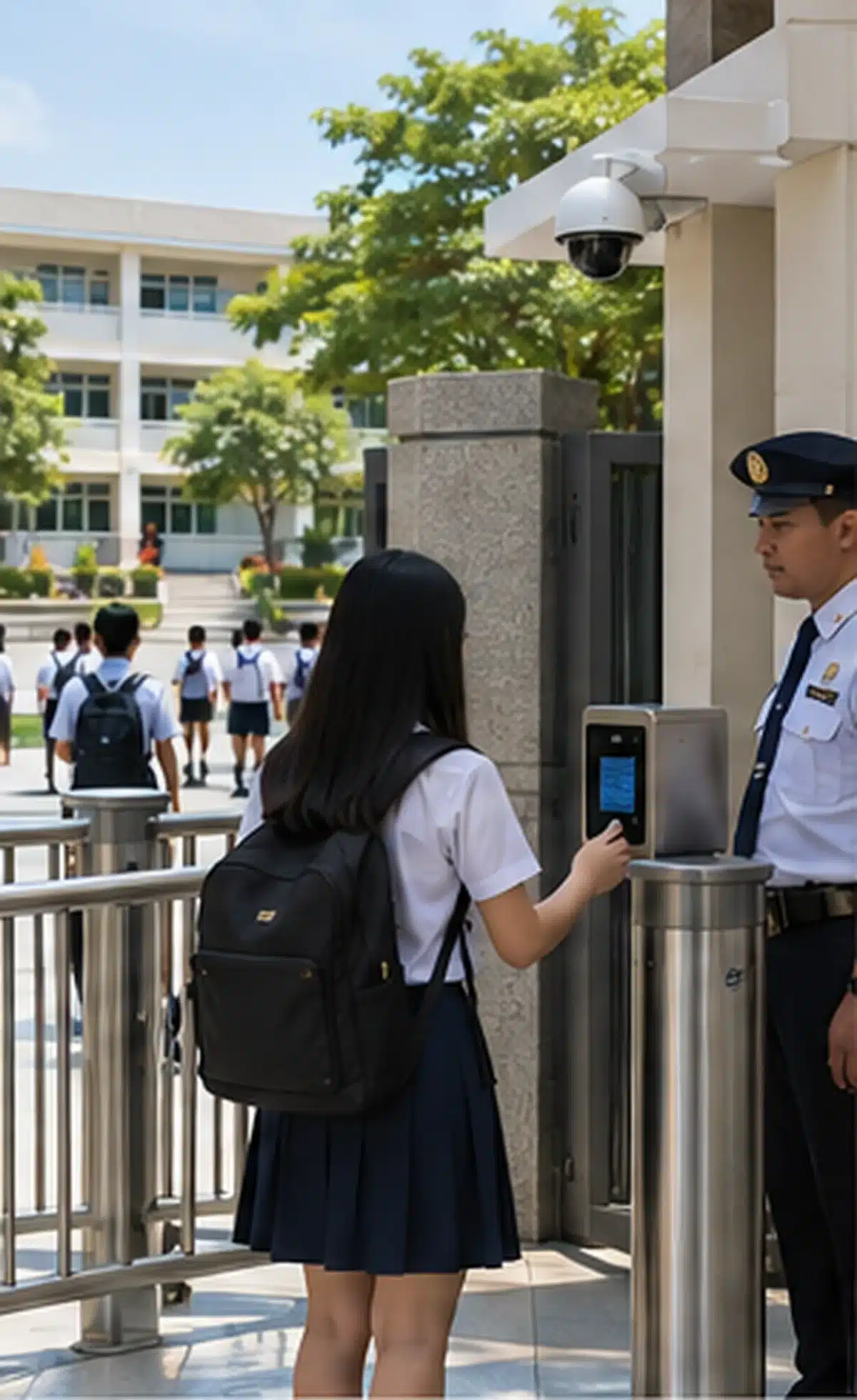
A secure school entrance depends on more than installing cameras, metal detectors, access control, or other security equipment. The physical layout, equipment, personnel, operating procedures, and supporting infrastructure should be planned together.
Buying individual devices without first reviewing the entrance can create blind spots, bypass routes, long queues, unclear responsibilities, and difficult maintenance conditions. This checklist provides a practical starting point for school heads, administrators, facilities teams, consultants, and procurement groups preparing a security upgrade.
SCHOOL SECURITY PLANNING
Use this checklist to review the entrance before preparing equipment specifications, BOQs, layouts, or implementation plans.
Identify gates, access points, bypass routes, and restricted areas.
Plan CCTV coverage around entrances, queues, screening, and perimeter areas.
Determine where metal detection, baggage scanning, and other screening methods fit.
Define staffing, procedures, power, connectivity, maintenance, and response responsibilities.
01 — PERIMETER & GATE CONTROL
Start With the School Perimeter and Gates
Before selecting security equipment, identify how people and vehicles currently enter and leave the campus. The entrance should be reviewed as a complete movement system rather than as an isolated gate.
Gate Inventory
- Number of pedestrian gates
- Number of vehicle gates
- Visitor and service entrances
- Secondary or emergency access points
Bypass Control
- Potential uncontrolled routes
- Gaps around gates or fences
- Unsupervised pedestrian access
- Alternative routes during peak periods
Guard Post Conditions
- Visibility of approaching traffic
- Lighting around the checkpoint
- Weather protection
- Space for security equipment
Emergency Access
- Maintain required egress
- Avoid blocking emergency routes
- Consider gate-release procedures
- Coordinate security with life-safety requirements
02 — CCTV SURVEILLANCE
Plan CCTV Coverage Around the Entrance
CCTV should provide useful visibility rather than simply increasing the number of cameras. Camera positions should be selected based on what security personnel need to observe before, during, and after a person or vehicle enters the campus.
Entrance Approach
Cover the approach to the gate and areas where students, visitors, or vehicles begin forming queues.
Screening Checkpoint
Provide appropriate visibility of screening lanes, guard positions, and visitor-processing areas.
Vehicle Lanes
Monitor vehicle entry points, gates, and areas where vehicle movement may interact with pedestrians.
Blind Spots
Review perimeter areas and corners that may be hidden by walls, structures, landscaping, or other obstructions.
Camera Planning
Consider viewing angles, mounting height, lighting conditions, backlighting, obstructions, and the required field of view.
Recording & Monitoring
Confirm recording requirements, retention, storage capacity, monitoring responsibilities, and who is authorized to review footage.
03 — SCREENING EQUIPMENT
Choose Screening Equipment Based on the Entrance
Screening equipment should be selected according to the school’s entrance flow, traffic volume, available space, operating procedure, and intended security objective. Different devices address different parts of the screening process.
Metal Detection
Determine whether walk-through or handheld detection is appropriate and identify where secondary screening would take place.
Baggage Scanning
Allow for scanner tunnel dimensions, conveyor loading and collection, operator position, and secondary inspection.
Queue Barriers
Create a defined screening route and help reduce uncontrolled bypass around the checkpoint.
Accessible Route
Maintain an appropriate passage for persons who require accessible entry while preserving the intended security process.
The goal is not simply to install more equipment. The checkpoint should be designed so that the selected devices can be operated consistently without creating unnecessary congestion or unsafe movement.
04 — VISITOR CONTROL
Create a Defined Visitor Entry Process
Visitors, contractors, and deliveries may require a different process from regular student and employee entry. The entrance plan should clearly identify where visitors stop, how they are verified, and how their movement is controlled after entry.
Identify
Verify visitor identity and establish the reason for the visit before allowing access.
Register
Record appropriate visitor information such as host, destination, and entry time.
Credential
Issue temporary identification or a supported digital credential where appropriate.
Separate
Define how deliveries, contractors, and service personnel are handled when their route differs from normal visitors.
05 — ACCESS CONTROL
Control Restricted Areas Beyond the Main Entrance
Entrance security should not end at the campus gate. Schools should identify internal areas where access needs to be limited to authorized personnel, students, or specific user groups.
Restricted Areas
- Offices
- Laboratories
- Records rooms
- Equipment or technical rooms
Credential Planning
- Identify user groups
- Select suitable credential types
- Define authorization levels
- Establish lost-card procedures
System Administration
- Revoked-user procedures
- Access reporting
- Audit requirements
- Administrator responsibilities
Life-Safety Interface
- Emergency release
- Required egress
- Fire and life-safety coordination
- Fail-safe or fail-secure requirements as applicable
Explore Access Control Systems →
06 — STAFFING, POWER & INFRASTRUCTURE
Plan the Operational Infrastructure, Not Just the Equipment
Security equipment only performs as intended when the supporting operational infrastructure is also planned. Every checkpoint should have clear responsibility for operation, power, connectivity, maintenance, and response.
Staffing
Identify who operates each device, manages queues, handles visitors, and responds to security events.
Power
Confirm electrical requirements and determine where UPS or backup power is appropriate.
Cabling & Network
Plan power and data routes, equipment locations, network connectivity, and protection of exposed cabling.
Maintenance
Include preventive maintenance, testing, calibration where applicable, spare parts, and technical service support.
07 — CURRENT SCHOOL SAFETY GUIDANCE
Align the Project With Applicable School Safety Guidance
DepEd Order No. 006, s. 2026 provides current context for safe school entry practices and identifies non-contact inspection methods that include electronic scanners, bag scanners, handheld metal detectors, and search sticks.
Schools should review the full applicable guidance, together with local implementing memoranda and their own approved security procedures, when preparing procurement specifications and entrance-screening processes.
Review Requirements
Identify the directives and procedures applicable to the school and its specific entrance arrangements.
Define Procedures
Document how routine screening, alerts, secondary inspection, and escalation are handled.
Train Personnel
Ensure assigned personnel understand equipment operation and their responsibilities under the approved procedure.
INTEGRATED SECURITY PLANNING
How the Major Security Components Work Together
The strongest entrance plans do not treat each device as a separate purchase. CCTV, screening equipment, access control, visitor management, queue control, and security personnel should support a defined entrance workflow.
01 — ENTRY
Students, staff, visitors, and vehicles are directed to the appropriate entrance.
02 — SCREEN
Applicable screening equipment is used according to the school’s approved process.
03 — VERIFY
Visitors and authorized users are identified and processed according to the access procedure.
04 — MONITOR
CCTV and security personnel maintain visibility around the checkpoint and surrounding areas.
Where system integration is required, compatibility should be confirmed during design. Installing multiple security devices at the same entrance does not automatically mean that they can exchange data or operate as one integrated platform.
PEAK TRAFFIC & QUEUE MANAGEMENT
Check the Entrance During Peak Arrival Conditions
A security checkpoint should be evaluated under the conditions in which the entrance is busiest. Student arrival periods can expose problems that are not obvious during normal traffic.
Traffic Volume
Estimate the number of students, employees, and visitors expected during the busiest periods.
Queue Length
Allow enough space for organized waiting without blocking walkways, gates, or emergency routes.
Processing Speed
Consider how quickly the selected screening and verification process can handle peak traffic.
Alternative Flow
Define how the entrance operates when equipment is unavailable or traffic conditions change.
PROJECT IMPLEMENTATION
Turn the Checklist Into a Practical Security Project
Once the entrance has been assessed, the checklist can be converted into a structured project scope. This helps align the site layout, equipment specifications, installation requirements, and operating procedures before procurement.
SURVEY
Review gates, entrances, traffic, blind spots, and existing systems.
MAP
Develop the entrance and security-system layout.
SPECIFY
Define equipment, infrastructure, service, and integration requirements.
BOQ
Translate the design into quantities, materials, and project scope.
IMPLEMENT
Install, configure, test, and train assigned personnel.
MAINTAIN
Establish preventive maintenance and ongoing service procedures.
FINAL CHECK
School Entrance Security Checklist
Site & Movement
- Gates and access points identified
- Bypass routes reviewed
- Student and visitor flow defined
- Emergency egress maintained
Security Systems
- CCTV coverage planned
- Screening equipment selected
- Access-control points identified
- Visitor procedures defined
Operations
- Staff responsibilities assigned
- Alarm and escalation procedures defined
- Peak traffic conditions considered
- Training requirements identified
Infrastructure
- Power requirements confirmed
- Network and cabling planned
- UPS requirements reviewed
- Maintenance and service included
FREQUENTLY ASKED QUESTIONS
School Entrance Security FAQs
What should be the first priority in a school entrance upgrade?
Start with the site layout and operational risk. Identify uncontrolled gates, blind spots, visitor flow, peak arrival conditions, and existing security procedures before selecting equipment.
Should CCTV and screening equipment be planned together?
Yes. CCTV coverage should be designed around the entrance and screening process so that security personnel have useful visibility of the checkpoint and surrounding areas.
Why is queue design important?
Poor queue design can create congestion, bypass routes, and unsafe crowding even when the security equipment itself is operating correctly.
Should maintenance be included in the original project scope?
Yes. Cameras, scanners, detectors, access-control readers, barriers, and UPS systems can require periodic testing, inspection, maintenance, or service depending on the equipment.
Should schools purchase security equipment separately?
Not necessarily. Where practical, the equipment should be evaluated as part of an overall entrance-security design so that layout, infrastructure, procedures, and system compatibility are considered together.
RELATED SCHOOL SECURITY SOLUTIONS
Build a More Complete School Security System
Access Control Systems
Control authorized access to selected school buildings and restricted areas.
Turnstile Systems
Support controlled pedestrian entry where a defined access lane is appropriate.
CCTV Surveillance
Provide visibility around entrances, screening checkpoints, vehicle lanes, and other important campus areas.
SCHOOL SECURITY PROJECT PLANNING
Need Help Turning the Checklist Into a Project Scope?
Infinite Systems can help assess a school entrance and translate the security requirements into a practical layout, equipment specification, BOQ, and phased implementation plan covering CCTV, screening, access control, pedestrian flow, and supporting infrastructure.